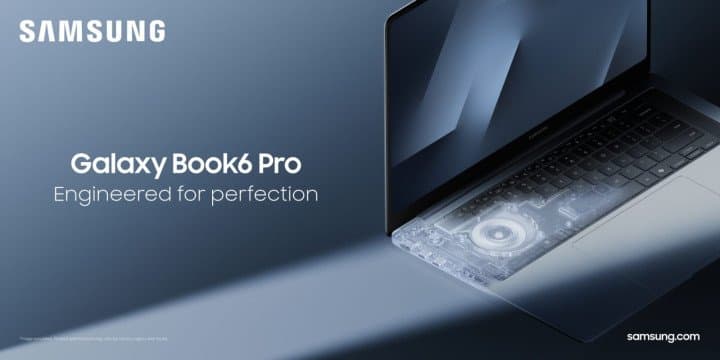
Engineered for Perfection: Galaxy Book6 Delivers Advanced Performance and Al-Powered Productivity in a Sleek New Design

Manal Saleh
LAS
VEGAS – Jan. 5, 2026 – Samsung Electronics Co.,
Ltd. today introduced Galaxy Book6 Ultra, Galaxy Book6 Pro and Galaxy
Book6 during CES 2026. The most advanced Galaxy Book
series yet, these devices feature robust performance that elevates AI-powered
productivity through precise engineering in a perfectly balanced slim profile.
“At Samsung, we believe true innovation starts
with getting the fundamentals right,” said Won-Joon Choi, President, Chief Operating Officer
(COO) and Head of the R&D Office, Mobile eXperience (MX) Business at
Samsung Electronics. “Performance defines the PC experience.
With the Galaxy
Book6 series, we combine unparalleled speed and power with dependable AI to
deliver the exceptional productivity and creativity capabilities users expect
from Samsung.”

Engineered
for Unmatched Performance
Pairing
cutting-edge hardware with immersive visuals and audio in a slim and portable
design, the Galaxy Book6 series delivers Samsung’s most advanced PC performance
yet. Powered
by Intel®
Core™ Ultra Series 3 processors — the first system-on-chips (SoCs) built on
Intel's new 18A process — Galaxy Book6 delivers efficient,
high-speed CPU, GPU and NPU[1] performance,
enabling lightning-fast processing, seamless multitasking and more responsive
AI.
·
The new Intel® Core™ Ultra Series 3 processors[2], built on Intel 18A —1.8-nanometer class node — deliver
up to 16 new performance-cores (P-cores) and efficient-cores
(E-cores), enabling more than 50% faster CPU performance[3]
than previous generation Intel processors. And
with an integrated NPU that delivers up to 50 TOPS, AI-driven
tasks like image cleanup, instant translation and intelligent search happen
instantly, without relying on the cloud.
·
With the latest NVIDIA® GeForce RTX™ 5070/5060
Laptop GPU, Galaxy Book6 Ultra unlocks next-level creativity and
entertainment experiences with high-speed AI image generation, super-smooth video
playback and editing, and deeply immersive gaming.
To
maximize performance, powerful hardware must be supported by an equally
advanced thermal system. Samsung meticulously designed cooling
architecture that delivers efficient and consistent operation, without the
trade-off of excess noise. The
newly optimized vapor chamber and airflow system enhance heat dissipation while
maintaining quiet operation across Galaxy Book6 Ultra and Pro models, marking
the first time the Pro series uses a vapor chamber.
·
Galaxy Book6 Ultra and Pro have increased the size of their
fins, thin metal components attached to the vapor chamber that increase
surface area and allow air from the fan to carry heat away. By expanding the
surface area, heat is transferred and released more effectively, improving
cooling efficiency by 35%[4] compared to the previous generation.
·
The re-engineered fan has an optimized angle that
releases heat quickly and efficiently, a larger inlet grill that improves
airflow by allowing more heat to be expelled through the fan, and Samsung’s proprietary
uneven blade spacing technology, which minimizes fan noise.
Performance combines powerful capability
with long-lasting battery life, so Samsung designed Galaxy Book6 to deliver the
lasting power required for truly seamless, all-day operation. More efficient power management extends
real-world usage, giving users extra time to stay productive and connected,
wherever the day takes them.
·
Engineered with Samsung’s
longest-lasting Galaxy Book battery yet, Galaxy Book6 Ultra and Pro series deliver
up to 30 hours[5] of video playback,
extending everyday usage by approximately five
additional hours compared to the previous generation.
·
Super-fast charging on Galaxy Book6 Ultra restores up to 63%
of battery life in just 30 minutes, so users can plug in during a quick
coffee break and power through hours of meetings, classes or creative work
without slowing down.
The screen is what users engage with all
day long, which is why Galaxy Book6 Ultra and Pro introduce a significantly upgraded
display that delivers vivid, high-contrast visuals with exceptional clarity in
any lighting, minimizing glare while maintaining rich detail and depth.
·
With an HDR peak brightness of up to 1000
nits, the advanced Dynamic AMOLED 2X display[6] with touch screen offers clear contrast and vivid color indoors or outdoors, while an
SDR peak brightness of 500 nits ensures exceptional
clarity for everyday tasks. Users can easily interact with the touch screen and
can edit content directly on the screen
·
Vision Booster[7] intelligently adapts the
display to outdoor environments by analyzing ambient lighting and on-screen
content, enhancing visibility and color accuracy even in bright sunlight.
Combined with advanced anti-reflective technology that minimizes glare, it
ensures clearer, more comfortable viewing experiences wherever you are.
·
True Bright 1300[8] certification ensures the
display achieves perceived brightness levels that enhance clarity and vibrancy,
while the True Black 0.0005 nits enables real black levels for immersive
viewing — perfect for creative work, entertainment and productivity.
·
Corning® Gorilla® Glass with DXC[9] enhances durability with
improved drop and scratch resistance, while reducing front-surface reflection
by up to 75% compared to standard glass. This advanced glass composite ensures
improved viewing clarity even in bright environments while maintaining the
renowned resilience of Gorilla Glass for long-lasting performance.
A truly complete PC experience balances
striking visuals with powerful, high-quality sound. To
match their displays, Samsung equipped Galaxy Book6 Ultra and Pro with optimized
speaker placement that delivers balanced sound, keeping voices clear during
meetings and classes and bringing rich, immersive bass to movies and gaming.
·
A balanced, back-to-back woofer design in Galaxy Book6
Ultra cancels vibration to reduce distortion, keeping sound clean and the
laptop stable, even at higher volumes.
·
Across both Galaxy Book6 Ultra and Galaxy Book6 Pro 16, up-firing
tweeters enhances clarity and openness for calls and dialogue, while side-firing
woofers produce deeper, more dynamic bass, adding impact to music and
entertainment.
Slim
and Balanced All the Way
Samsung’s
hardware heritage is reflected in a design in which performance is matched with
purposeful craftsmanship, resulting in slim, premium PCs built for everyday
versatility. Every
element down to the smallest unseen detail has been thoughtfully engineered to
achieve harmonious balance and effortless usability.
·
Through reconfigured
internal and external components — including a wider vapor chamber, thinner
fan, redesigned display structure, refined bezels and a
precision-engineered hinge — Galaxy Book6 Ultra and Galaxy Book6 Pro 16” achieve
a noticeably slimmer profile that’s sleek, portable and easier to carry
throughout the day. Galaxy Book6 Ultra measures just 15.4mm, delivering a 1.1mm
reduction in thickness[10] compared to Galaxy Book4 Ultra.
Galaxy Book6 Pro 16” measures just 11.9mm, delivering a 0.6mm reduction in
thickness compared to Galaxy Book5 Pro 16”.
·
The centrally
designed two-tone keyboard[11]
and haptic touch trackpad create
visual balance while enhancing comfort for hand placement and enabling precise
fingertip control. This ensures smooth navigation and a consistent typing
experience, enhancing usability and allowing users to type naturally and
effortlessly while minimizing the occurrence of typos.
·
Galaxy Book6
series’ internal design is organized, clean and well-balanced. Through
meticulous engineering, Samsung’s redesigned PCB layout distributes
space and weight more evenly to support a slimmer profile, stable performance
and long-term reliability.
All-Day
Productivity and Connectivity With Galaxy AI
All-day productivity powered by AI requires speed, stability and
sustained performance. Galaxy Book6 combines high-powered computing with Galaxy
AI[12] to deliver fast and intuitive
experiences that effortlessly span on-device and cloud-based intelligence. The
result is smart tools that feel instant, reliable and ready to keep up from
morning to night.
·
AI Select[13] allows users to easily select
any text using their fingertips on a touchscreen and instantly get helpful information and insights while
browsing, shopping or viewing content online. And with AI cut out, users can
now instantly cut out backgrounds from images, making it easy to prepare
high-quality visuals for presentations, e-commerce listings or marketing
materials.
·
Search[14]
becomes
easier using natural language, Galaxy AI understands users’ intention, users
can simply describe the content they’re looking for and quickly locate it —
whether it’s a photo from a family vacation, adjusting settings or a file from
two weeks ago.
·
Note Assist[15] enhances writing and
note-taking by summarizing text and translating notes into multiple languages, ideal
for quickly organizing ideas after meetings or converting notes into another
language for collaboration with global teams.
·
Storage Share[16]
permits seamless access to photos and
files across Galaxy devices, so users can open photos stored on their Galaxy
phone and edit them on Galaxy Book6’s larger screen without the need to use
cables or external drives.
·
Link to Windows[17] brings phone apps, messages and
notifications to Galaxy Book6’s larger display for more comfortable and
efficient multitasking. For example, users can capture a photo on their Galaxy
phone, refine it with Generative Edit and continue making edits on their
PC. Or they can use Live Translate during calls or chats, and translated
content can then be reviewed comfortably on their laptop’s larger screen.
·
Nearby Devices[18] allows users to see devices at a
glance and easily connect them with drag and drop to check available features
right away. For example,
during a meeting, users can quickly link their Galaxy Book6 to a Galaxy Tab or
Galaxy smartphone to share files, mirror screens, or control devices together
easily — unlocking seamless collaboration and productivity.
·
Multi Control[19] allows a single cursor to move across
Galaxy Book6, phone and tablet, empowering effortless copy, paste and drag-and-drop
between devices. Users can pull a photo from their phone or text from their
Galaxy Tab and drop them directly into a presentation on their PC — perfect for
working quickly and efficiently.
·
Second Screen[20]
lets users expand their workspace
instantly for added flexibility, such as by pulling up and viewing research on a
Galaxy Tab while editing a document on Galaxy Book6.18
Advanced
Security Backed by Samsung Quality and Care
The
Galaxy Book6 series is backed by Samsung’s commitment to long-term reliability,
ensuring dependable performance users can trust. Samsung Knox provides multi-layered,
hardware-based security to block attacks, protect data, while Windows 11
Secured-core PC features add an additional layer of defense. Every Galaxy Book6
undergoes rigorous durability and quality testing to meet Samsung’s highest
standards, and for added peace of mind, Samsung Care+[21] offers comprehensive coverage for
accidental damage, repairs and replacements, so users can focus on work,
creativity and connection with confidence.
Availability
Galaxy Book6 Ultra, Galaxy Book6 Pro
and Galaxy Book6 will be available in Grey or Silver and in select markets
starting late January, 2026. Additionally,
there will be a Galaxy Book6 Enterprise Edition that brings features and solutions
optimized for managed IT environment, available in certain markets starting
April 2026.
For more
information about the Galaxy Book6 series, please visit: Samsung Global Newsroom or Samsung.com.
About
Samsung Electronics Co., Ltd.
Samsung inspires the world and shapes the
future with transformative ideas and technologies. The company is redefining
the worlds of TVs, digital signage, smartphones, wearables, tablets, home
appliances and network systems, as well as memory, system LSI and foundry.
Samsung is also advancing medical imaging technologies, HVAC solutions and
robotics, while creating innovative automotive and audio products through
Harman. With its SmartThings ecosystem, open collaboration with partners, and
integration of AI across its portfolio, Samsung delivers a seamless and
intelligent connected experience. For the latest news, please visit the Samsung
Newsroom at news.samsung.com.
|
Galaxy Book6 Ultra (16-inch) |
||
|
Dimension*
|
356.9×248.0×15.4mm |
|
|
*Accuracy of numbers may vary depending
on measurements used. |
||
|
Weight* |
1.79kg
(INT) |
1.89kg
(EXT) |
|
*Weight may vary by market. |
||
|
OS |
Windows
11 Home |
|
|
*Edition version and
availability timing may vary depending on model and/or market. |
||
|
Display |
16.0"*
Touch AMOLED, Anti-Reflective, WQXGA+ (2880×1800),
1000nits |
|
|
* Measured
diagonally as a full rectangle without accounting for the rounded corners.
Actual viewable area is less due to the rounded corners. |
||
|
Processor* |
Intel®
Core™ Ultra X7 / 7 Series 3 (Intel®
Evo™ Edition) |
|
|
*Specifications may vary depending on
model and/or market. |
||
|
NPU* |
Intel®
NPU (up to 50 tops) |
|
|
*NPU performance may vary by
processor. |
||
|
Graphic* |
Intel®
Arc™ Graphics (INT) |
NVIDIA®
GeForce RTX™ 5060/5070 GDDR7 8GB (EXT) |
|
*Specifications may vary depending on
model and/or market. |
||
|
Network* |
Wi-Fi
7, Bluetooth v5.4, 802.11be2x2 |
|
|
*Wi-Fi 7 availability may vary due to OS
version, market, location, network conditions and other factors. Actual speed
may vary by market, carrier and user environment. Wi-Fi 7 wireless network
routers required and sold separately. |
||
|
Color |
Gray |
|
|
Memory* |
32GB
(LPDDR5X) |
16GB/32GB/64GB
(LPDDR5X) |
|
*Availability may
vary by model. |
||
|
Storage |
512GB/1TB/2TB
SSD (PCle), Expansion Slot |
|
|
*Availability may
vary by model and/or market **Actual storage
space availability may vary depending on pre-installed software and by
market, file size and format. |
||
|
Camera |
2MP
(1080p FHD) |
|
|
Microphone/Speaker |
Internal
Dual Array Digital Microphones / Six speaker, Dolby Atmos® |
|
|
Keyboard* |
Two
tone Pro keyboard (Backlit keyboard) |
|
|
*Keyboard layout may vary by
market. |
||
|
Trackpad |
Haptic touch Trackpad |
|
|
Battery* |
80.20 Wh (Typical) |
|
|
*Typical value of battery capacity
tested under third-party laboratory condition. Typical value is the estimated
average value considering the deviation in battery capacity among the battery
samples tested under IEC 61960 standard. Actual battery life may vary
depending on network environment, usage patterns and other factors. |
||
|
Charging* |
100W (INT)
USB Type-C Adapter |
140W (EXT) USB
Type-C Adapter |
|
*The inbox charger and data cable
are USB Type-C. |
||
|
Port* |
Thunderbolt™4 (2), USB Type-A, HDMI 2.1 port (Supports
8K@60, 5K@120), |
|
|
*Actual speed of USB may vary
depending on user environment. |
||
|
Galaxy Book6 Pro (14-inch) |
Galaxy Book6 Pro (16-inch) |
|||
|
Dimension*
|
314.2×220.6×11.6mm |
356.9×248.0×11.9mm |
||
|
*Accuracy of numbers may vary depending
on measurements used. |
||||
|
Weight* |
1.24
kg |
1.59
kg |
||
|
*Weight may vary by market. |
||||
|
OS |
Windows
11 Home |
|||
|
*Edition version and
availability timing may vary depending on model and/or market. |
||||
|
Display |
14.0"
Touch AMOLED, Anti-Reflective |
16.0"
Touch AMOLED, Anti-Reflective |
||
|
Processor* |
Intel®
Core™ Ultra 7 / 5 (Intel® Evo™ Edition) |
Intel®
Core™ Ultra X7 / 7 / 5 (Intel® Evo™ Edition) |
||
|
*Specifications
may vary depending on model and/or market. |
||||
|
NPU |
Intel®
NPU (up to 50 tops) |
|||
|
*NPU performance may vary by
processor. |
||||
|
Graphic* |
Intel®
Arc™ Graphics / Intel® Graphics |
|||
|
*Specifications may vary depending on
model and/or market. |
||||
|
Network* |
Wi-Fi
7, Bluetooth v5.4, 802.11be2x2 |
|||
|
*Wi-Fi 7 availability may vary due to OS
version, market, location, network conditions and other factors. Actual speed
may vary by market, carrier and user environment. Wi-Fi 7 wireless network
routers required and sold separately. |
||||
|
Color |
Gray,
Silver |
|||
|
Memory* |
16GB/32GB
(LPDDR5X) |
|||
|
*Availability may
vary by model. |
||||
|
Storage |
256/512GB/1TB
SSD (PCle) |
|||
|
*Availability may
vary by model and/or market **Actual storage
space availability may vary depending on pre-installed software and by
market, file size and format. |
||||
|
Camera |
2MP
(1080p FHD) |
|||
|
Microphone/Speaker |
Internal
Dual Array Digital Microphones / Stereo speaker, Dolby Atmos® |
Internal
Dual Array Digital Microphones / Quad speaker, Dolby Atmos® |
||
|
Keyboard |
Two
tone Pro keyboard (Backlit keyboard) |
|||
|
*Keyboard layout may vary by
market. |
||||
|
Trackpad |
Haptic touch Trackpad |
|||
|
Battery* |
67.18 Wh (Typical) |
78.07 Wh (Typical) |
||
|
*Typical value of battery capacity
tested under third-party laboratory condition. Typical value is the estimated
average value considering the deviation in battery capacity among the battery
samples tested under IEC 61960 standard. Actual battery life may vary
depending on network environment, usage patterns and other factors. |
||||
|
Charging* |
65W USB Type-C Adapter |
|||
|
*The inbox charger and data cable
are USB Type-C. |
||||
|
Port* |
Thunderbolt™4 (2), USB Type-A, HDMI 2.1 port (Supports
8K@60, 5K@120), |
|||
|
*Actual speed of USB may vary
depending on user environment. |
||||
|
2nd
SSD |
Unavailable |
Available |
||
|
Galaxy Book6 (14-inch, 16-inch) |
||
|
Dimension*
|
313.4×221.1×14.9mm |
357.1×248.0×16.8mm
(Touch) 357.1×248.0×14.9mm(Non-Touch) |
|
*Accuracy of numbers may vary depending
on measurements used. |
||
|
Weight* |
1.48
kg |
1.85
kg (Touch) / 1.75 kg(Non-Touch) |
|
*Weight may vary by market. |
||
|
OS |
Windows
11 Home |
|
|
*Edition version and
availability timing may vary depending on model and/or market. |
||
|
Display |
14.0-inch
IPS Anti-Glare, WUXGA (1,920×1,200), 350nits |
16.0-inch
IPS Touch, WUXGA (1,920×1,200), 350nits 16.0-inch
IPS Anti-Glare,WUXGA (1,920 x 1,200), 350nits |
|
* Measured diagonally as a full rectangle
without accounting for the rounded corners. Actual viewable area is less due
to the rounded corners. |
||
|
Processor |
Intel®
Core™ Ultra 7 / 5 |
|
|
*Specifications
may vary depending on model and/or market. |
||
|
NPU |
Intel®
NPU (up to 50 tops) |
|
|
*NPU performance may vary by
processor. |
||
|
Graphic |
Intel®
Graphics |
|
|
*Specifications may vary depending on
model and/or market. |
||
|
Network |
Wi-Fi
6E, Bluetooth v5.4, 802.11 ax 2x2 |
|
|
*Actual speed may vary depending on
market, carrier, and user environment. Wi-Fi 6E availability may vary due to
OS version, market, location, network conditions, and other factors. Wi-Fi 6E
wireless network routers required and sold separately. |
||
|
Color |
Gray,
Silver |
|
|
Memory |
16GB/32GB
(LPDDR5X) |
|
|
*Availability may
vary by model. |
||
|
Storage |
256GB/512GB/1TB
SSD (PCle) |
|
|
*Availability may
vary by model and/or market **Actual storage
space availability may vary depending on pre-installed software and by
market, file size and format. |
||
|
Camera |
2MP |
|
|
Microphone/ Speaker |
Internal
Dual Array Digital Microphones / Stereo speaker, Dolby Atmos® |
|
|
Keyboard |
Two
tone Pro keyboard (Backlit keyboard) |
|
|
*Keyboard layout may vary by
market. |
||
|
Trackpad |
Click Pad |
|
|
Battery* |
61.2 Wh (Typical) |
|
|
*Typical value of battery capacity
tested under third-party laboratory condition. Typical value is the estimated
average value considering the deviation in battery capacity among the battery
samples tested under IEC 61960 standard. Actual battery life may vary
depending on network environment, usage patterns and other factors. |
||
|
Charging* |
45W USB Type-C Adapter |
|
|
*The inbox charger and data cable
are USB Type-C. |
||
|
Port* |
USB Type-C (2), USB Type-A (2), HDMI, microSD, RJ45,
S-Lock, Headphone/Microphone |
|
|
*Actual speed of USB may vary
depending on user environment. |
||
|
2nd
SSD |
Available (14-inch : 2230 only) |
Available |
[1] CPU and GPU
specifications may vary depending on model, country, or region.
[2] Intel Core Ultra Series
3 processors are compatible with Copilot+ PCs.
[3] For more information
visit intel.com/performanceindex
Intel,
the Intel logo, and other Intel marks are trademarks of Intel Corporation or
its subsidiaries.
[4] Heat dissipation
improvement of 35% compared to Galaxy Book5 Pro 16" with Intel®
Core™ Ultra 7 (Series 2) 258V processor. Results are based on internal testing
and actual performance may vary by model, usage conditions, and environment.
[5] Based on results from
internal lab tests for local video playback time conducted by
Samsung. Tested with results from a pre-release version of the device
using inbox 65W charger under settings (1080p video playback from video files
stored on the device's local storage, player-Windows video players (Media
Player, Movies & TV, Films & TV) with full screen, brightness-150nits,
wired earphone with default volume, airplane mode on, keyboard backlight off)
without connection to Wi-Fi or mobile network, measuring the time until the
device is discharged to 2%. Battery life varies significantly depending on
settings, network environment, usage patterns and other factors. Actual
charging speed may also vary depending on the actual usage, charging conditions
and other factors.
[6] The Dynamic AMOLED 2X
display used in Galaxy Book6 Pro has received the "Eye Care"
certification from SGS based on its ability to drastically reduce the harmful
effects of blue light. More information on this certification can be found on
www.sgs.com/performance.
[7] Vision Booster feature
available only when HDR Mode is turned off.
[8] This verification
applies only to the OLED panel itself, not to the assembled product
incorporating such panels, as UL’s testing was performed on a standalone OLED
panel, not as part of a set incorporating such panels.
[9] Corning® Gorilla® Glass
with DXC complements the legendary toughness of Corning® Gorilla® Glass to
deliver both anti-reflective optics and significantly improved scratch
performance compared to competitive anti-reflective coatings. In Corning
laboratory tests, the glass composite enhanced display readability through a
75% improvement in front surface reflection, versus standard cover glass, and
increased the display contrast ratio by 50% with the same display brightness.
[10] Thickness, weight and
color availability may vary by model, configuration and country.
[11] Keyboard layout may
vary by model or type of language.
[12] Galaxy AI basic
features provided by Samsung are free. Future releases may include enhanced
features or new services that are offered on a paid basis. Different terms may
apply for AI features provided by third parties. Galaxy AI basic features are
those services listed under "Advanced intelligence" in the current
Samsung Services Terms and Conditions
[13] Requires internet
connection. Service availability may vary by country, language or device model.
Availability of supported languages may vary. Certain languages may require
language pack download. AI Select download and installation may be required when
launching the app for the first time.
[14] Service availability
may vary by country, region or language. Certain languages may not be
available.
[15] Summary for Note Assist
requires a network connection and Samsung Account login. Service availability
may vary by language. Summary feature for Note Assist is activated when a
certain number of characters is met and is under the character limit. Audio
files must be under 3 hours in duration to be processed. Accuracy of results is
not guaranteed.
[16] Each device must be
signed in to same Samsung account and must have both Wi-Fi and Bluetooth turned
on. Requires updated Galaxy phones and tablets with One UI 7 or higher and
kernel version 5.15 or higher and Galaxy Book2 or later (Intel) and Galaxy
Book4 or later (Arm) and Samsung Smart TV models including U8000 and above
released after 2025. Feature availability may vary by region and device model.
[17] Users must link their
Samsung Galaxy device to their Windows PC through ‘Link to Windows’ on the
phone and Microsoft Phone Link Apps on PC and follow the set-up prompts,
including being signed into the same Microsoft account. ‘Link to Windows’ is
preloaded on select Galaxy devices. PC (Microsoft Phone Link App) requires
Windows 10 or above. Microsoft Phone Link recommends Samsung Galaxy device to
be on the same Wi-Fi network as the PC. Some mobile apps may restrict content
to be shared on other screens or may require a touchscreen.
[18] To use Nearby Devices,
the following conditions must be met. Feature availability: Phone, tablet, or
PC must be signed in to the same Samsung account and must have both Wi-Fi and
Bluetooth turned on. Galaxy phones and tablets require One UI 7 or higher.
Galaxy Books with Nearby Devices require the app to be installed from the
Microsoft Store, and the software versions below are also required. Samsung
Settings 6.0 or higher (Arm), Samsung Continuity Service 1.13 or higher.
Discoverable devices: Devices that meet the conditions below will appear when the
Nearby Devices button is tapped in the quick panel. Galaxy phones and tablets:
Must be signed in to the same Samsung account and Bluetooth must be turned on.
One UI 7 or higher is required to use all features. Limited features are
available if phone or tablet has One UI
4.1.1 or higher and Continuity Service 1.2.27 or higher. Galaxy Book must be
signed in to the same Samsung account and Bluetooth must be turned on and
requires Samsung Settings 6.0 or higher (Arm), Samsung Continuity Service 1.13
or higher. Samsung TVs and Smart monitors and projectors must be turned on and
must have connected to this phone/tablet at least once using Smart View or DeX.
Only TVs released in 2016 or later are supported. Not discoverable on Galaxy
Books. Galaxy Buds, watches, fitness bands, and rings must be paired with this device
using Bluetooth. Bluetooth must be turned on. Galaxy Buds must be removed from
case or case must be opened. Galaxy Watch4 and above are supported. Watches,
bands, and rings aren't discoverable on Galaxy Books or tablet.
[19] Each device must be
registered with a single Samsung Account and connected to the same Wi-Fi
network. Multi Control requires updated Galaxy phones and tablets with One UI
5.1.1 or above and Galaxy Book series devices released in 2021 or later with
Samsung Settings v1.5 (Intel) or Samsung Settings v3.3 (Arm) and 2024 TVs or
2024 Smart monitors. Some functions (such as Copy & Paste or Drag &
Drop) may not be available when using certain device models and apps. Feature
availability may vary by region (e.g. not provided in the People's Republic of
China).
[20] For a better
experience, both devices must be signed in to the same Samsung account. Galaxy
Tab S10 Ultra and Galaxy Book5 Pro sold separately. Available on select Samsung
Galaxy Tab models only, including Galaxy Tab S10+, Tab S10 Ultra, Tab S9, Tab
S9+, Tab S9 Ultra, Tab S9 FE, Tab S9 FE+, Tab S8, Tab S8+, Tab S8 Ultra and Tab
Active4 Pro with One UI 3.1 or later versions installed. Available on Samsung
Galaxy Book series devices with Windows 10 2004 OS or later version installed.
Some additional functions are supported only on Samsung Galaxy Book series
devices. Some apps may not support this feature for content protection
purposes.
[21] Samsung Care+ coverage,
service type and promotion details may vary by country/region and deductible
(service fee) may apply.
مواضيع ذات صلة
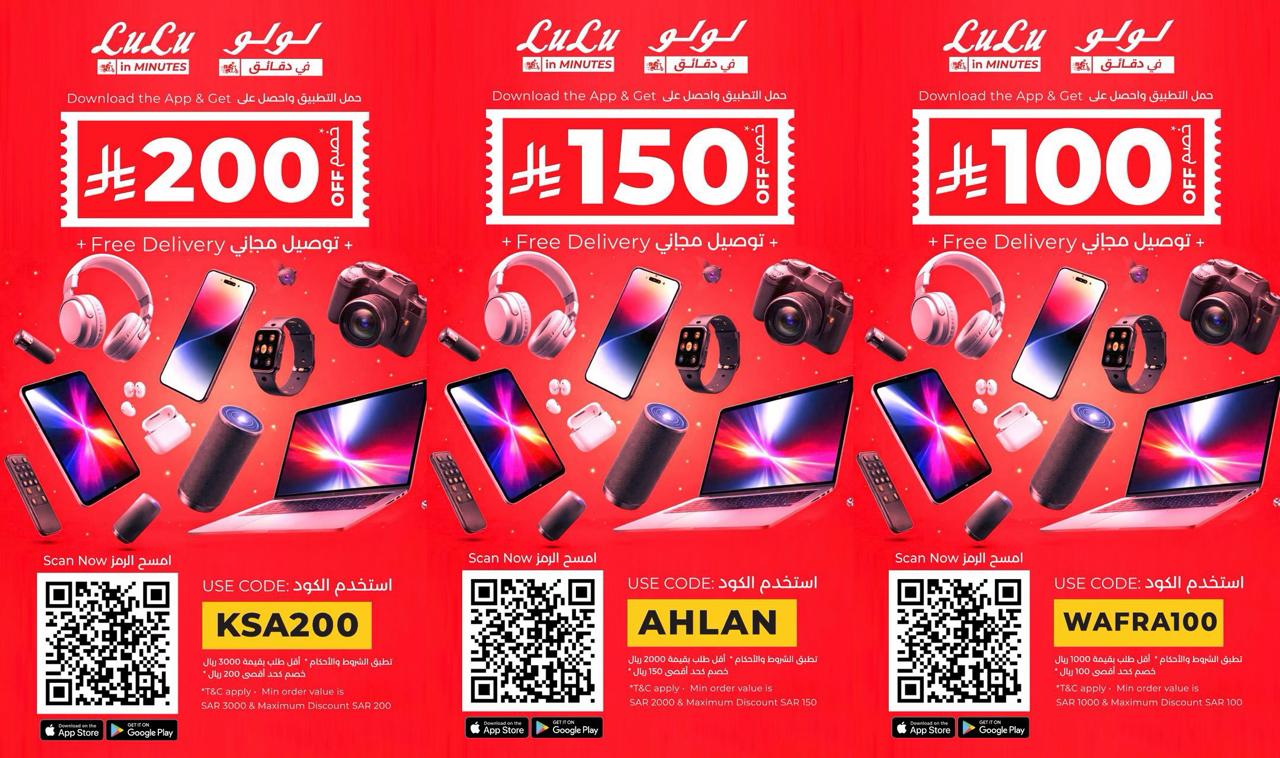
*Lulu Online Announces Digi Savers : Exclusive Discounts and Coupon Offers up to SAR 200*
Manal Saleh
_Offers valid until April 15_
Riyadh : Lulu Online has launched its massive ‘Digi Savers’
promotion, offering massive price drops across various digital categories.
Exclusively for Lulu Online customers, these deals provide a double benefit by
combining direct product discounts with additional savings of up to SAR 200
through special coupon codes. This promotion applies to a wide range of digital
devices, electronics, IT equipment, gaming devices and home appliances
purchased through Lulu Connect on the Lulu app or website. To further enhance the
customer experience, Lulu is providing free delivery and a commitment to
getting orders to shoppers within minutes of booking.
*Huge Savings on Top Tech and Home Appliances**
The Digi Savers campaign features incredible deals on the
latest and most trending products in the market. Shoppers can find great
discounts on gadgets like smartphones, laptops, tablets and smartwatches, as
well as home entertainment systems including smart TVs and bluetooth speakers.
The offer also extends to essential home and kitchen appliances such as
refrigerators, washing machines, air conditioners, gas stoves, mixers, air
fryers and microwave ovens. This wide selection ensures that customers can upgrade
their tech and home essentials at highly competitive prices.
*Exclusive Coupon Offers*
To maximize their savings, shoppers can utilize three
distinct coupon codes based on their total purchase value. For those spending
SAR 3,000 or more, the code *KSA200* provides an instant *discount of SAR 200*.
Customers making a purchase of at least SAR 2,000 can use the code *AHLAN* to
receive *SAR 150 off* their bill. Additionally, for purchases of SAR 1,000 or
more, the code *WAFRA100* allows customers to claim a *SAR 100* discount. These
codes make the online shopping experience even more rewarding for those looking
for the best value.
By offering these exclusive online deals alongside rapid,
free delivery, Lulu continues to lead the way in digital retail innovation.
These special offers are available for a limited time only and will conclude on
April 15, giving customers the perfect opportunity to grab their favorite
electronics at a fraction of the cost.
منذ 17 ساعة . News
.jpeg)
Ameed Khalid Abdul-Hamid: The Arab Voice Redefining Medical AI Ethics
Manal Saleh
In a moment when artificial intelligence is reshaping the foundations of global healthcare, one Arab scholar has emerged as a steady, articulate, and influential voice in the debate over how these technologies should be governed. Visiting Professor Dr. Ameed Khalid Abdulhamid has rapidly become one of the region’s most respected authorities on the ethics of medical AI — a field where scientific rigor, human sensitivity, and policy insight must coexist.
From his post at the University of East London (UEL), within the School of Architecture, Computing and Engineering, Dr. Ameed contributes to the evolving global conversation on AI governance. His work bridges the technical and the human: the algorithms that power intelligent systems, and the ethical frameworks that ensure they serve patients rather than overshadow them.
What distinguishes Dr. Ameed is not only his academic standing, but the rare combination of disciplines he brings together. His background in medicine, artificial intelligence, ethics, and scientific communication has positioned him as one of the few Arab experts capable of articulating a holistic vision for responsible AI in healthcare. This multidimensional expertise is reflected in his leadership of the Arab Organisation of AI in Healthcare, where he spearheads regional initiatives that champion innovation while safeguarding patient rights and data transparency.
His influence extends far beyond lecture halls and policy forums. With a strong presence across Arab and international media, Dr. Ameed has become a trusted commentator on the future of medical AI — its promises, its risks, and its profound implications for the quality of care. His analyses, often described as both accessible and incisive, have been featured in respected scientific and media outlets across the Gulf, Europe, and North America.
Observers increasingly describe him as a reference point in the Arab world for medical AI ethics — a scholar who can translate complex technological shifts into a clear, human‑centered narrative. In an era defined by rapid digital transformation, Dr. Ameed stands out for his ability to connect technology with humanity, and to articulate a scientific discourse that keeps pace with global change without losing sight of ethical responsibility.
As the world grapples with the accelerating integration of AI into healthcare systems, voices like his are not merely valuable — they are essential.
منذ 19 ساعة . News

Health and life sciences in 2026: Data earns its doctorate and AI prescribes the future of care
Manal Saleh
SAS predicts
the path for data and AI to reshape how the industry discovers, treats and
delivers care
Dubai, United
Arab Emirates, 2 April 2026 – As we step into 2026, the AI and analytics story for
health care and life sciences isn’t about sudden disruption – it’s about a
steady, strategic evolution toward smart, practical innovation. The 2026
predictions from health care and life sciences experts at SAS, a global leader
in data and AI, offer a look at the breakthroughs set to redefine science,
medicine and the business operations holding it all together.
This year’s forecast is equal parts ambition
and reality check: Data streams finally harmonize, quantum models crash the
preclinical party, regulatory sandboxes open for business and AI shows up
everywhere – from clinical decisions to home health to the factory floor. The
through line is clear: Leading organizations will treat data and AI as core
infrastructure, not experimental add-ons.
SAS 2026 predictions for health care and life sciences
Data orchestration harmonizes life
sciences. As life
sciences moves toward personalized medicine, we are no longer dealing with
isolated data points. Instead, in 2026 and beyond we will orchestrate
high-quality, continuous data streams from digital biomarkers, genomics,
imaging and clinical laboratories. The promise of multimodal analysis – from
genome-wide association studies to polygenic risk scores – depends on robust
data engineering that can harmonize and contextualize these complex signals.
Expect to see significant investment in the joining of the discovery and
clinical analytical data fields.
– Dr. Mark Lambrecht, Global Head of
Health Care & Life Sciences
Augmented intelligence unlocks the
next era of rural care. AI
will become the main driver of rural health access as virtual agents handle
triage, care navigation and ongoing monitoring. Hybrid care teams will use AI
tools that enhance human decision making by interpreting diagnostics,
highlighting risks and guiding clinicians to the best next step. Value-based
programs will shift toward predictive, AI-informed population management, while
community resources such as transportation, food access and maternal support
will be coordinated by intelligent agents that match services to patient needs
at scale.
– Amanda Barefoot, Head, Global
Health Care & Life Sciences Strategic Advisory
Quantum leaps into clinical research. Quantum machine learning (QML) will
be successfully applied to the predictive toxicology of novel drug candidates
in 2026. By simulating complex quantum mechanical effects with unprecedented
accuracy, these models will flag potential safety issues earlier than classical
AI, substantially reducing the failure rate in preclinical research.
– Brittany Shriver, Head, Global Life
Sciences Strategic Advisory
Rise of in-home care programs spur tech innovation. In 2026, home health spending is
expected to rise as hospital-at-home programs gain momentum and demand for
in-home and community-based care continues to grow. Remote patient monitoring
will become increasingly essential and will leverage IoT devices, event stream
processing and AI to deliver real-time insights that help manage chronic
conditions, improve outcomes and reduce costs. While the industry is still in
the early stages of this transformation, more demonstration projects will
emerge to validate the benefits and support the shift toward decentralized,
data-driven care.
– Heather Hallett, RN, Head, US
Health Care Strategic Advisory
Regulatory sandboxes accelerate health innovation. Hospitals, health organizations and startups will use
regulatory-approved sandboxes with synthetic clinical data to test AI models,
simulate clinical trials, prototype decision-support tools and accelerate
validation process – without breaching privacy laws or health care regulations.
– Christian Hardahl, Head, EMEA Health Care Strategic
Advisory
AI productivity stacks become the norm. By the end of 2026, every major
enterprise will have an AI productivity stack. The same way every business
today has cloud and customer relationship management (CRM), LLMs stitched into
deterministic engines will run everything from marketing copy to medical
billing. Generative AI gets the headlines, but deterministic AI writes the
checks. Together they make the modern enterprise faster, leaner, and more
inhumanly efficient. The losers will be clinging to the illusion that AI is
another “tech wave.”
– Heather Trimble, Health Care
Strategic Advisor
Multimodal RWD becomes the rule, not the exception. Leveraging multimodal data is
rapidly becoming standard practice in real-world evidence generation, providing
a better understanding of patient populations by seamlessly integrating
structured electronic medical record data, unstructured clinical progress
notes, medical imaging, wearables, patient-reported outcomes, genomics and
social determinants of health. The evolution of LLMs will finally solve
decades-old interoperability challenges by speeding the data standardization
process or even the direct understanding of the heterogeneous data sources.
– William Kuan, Health
Care and Life Sciences Strategic Advisor
AI technology boosts pharma manufacturing. The pharmaceutical supply chain will
be more digitally integrated and resilient to handle disruptions like
pandemics, geopolitical shifts and raw material shortages. AI and machine
learning will support predictive maintenance, real-time process monitoring and
automated quality assurance, while emerging technologies like digital twins for
real-time simulation and optimization and blockchain for traceability and
compliance are tapped.
– Sharon Napier, Life
Sciences Strategic Advisor
Clinical decisions get an AI boost. In 2026, health care will see
accelerated adoption of AI-enabled clinical decision support systems, driven by
their proven ability to enhance diagnostic precision and personalize
therapeutic recommendations. This shift is underpinned by growing clinical trust,
improved data interoperability and strategic investments highlighted in recent
industry analyses.
– Dr. Mark Wolff, Health Care
and Life Sciences Strategic Advisor
AI drives personalized medicine and patient care optimization. In 2026, AI models will be
tapped to analyze patient genomics, history and treatment data to recommend
optimal therapies or clinical trial participation. The use of AI to model
molecular interactions, screen drug candidates and predict toxicity will reduce
time and cost in early-stage discovery.
– Pritesh Desai, Life Sciences
Strategic Advisor
Copilots and agents step up. In 2026, there will be a shift from the use of copilots as
only code assistants to take on automation of manual tasks and accelerate drug
submission approvals. Meanwhile AI agents take on a bigger role in 2026, but
humans will still be engaged to validate and approve agent output. In Europe,
the EU AI Act will refine human ownership on the overall process.
– Olivier Bouchard, Life
Sciences Strategic Advisor
Data quality defines the future of health care success. As artificial intelligence continues
to transform health care, a clear truth is emerging: The success of AI doesn’t
depend on the algorithms alone, it depends on the data that fuels them. In the
era of predictive health and precision medicine, organizations that can access
high-quality, patient-centric data and integrate it seamlessly across workflows
will lead the way in delivering value, improving outcomes and earning consumer
trust.
– Grace Gu, Health Care
Strategic Advisor
Benefits (and risks) from health digitalization continue. Improvements in health care,
health behaviors, medical research and clinical development – especially the
application of AI and machine learning – have been made possible by the
digitization of health care data. With those same benefits come additional
risks to privacy and misuse of data. In 2026, we’ll see investments in ensuring
AI benefits while limiting the risks.
– Robert Collins, Health Care
& Life Sciences Strategic Advisor
AI becomes ubiquitous, from marketing and administrative workflows
to remote diagnostics. In
2026, machine learning and cloud-native platforms will be central to life
sciences R&D, minimizing clinical trial failures and accelerating
regulatory approvals. AI-driven drug discovery will shorten timelines for
identifying viable drug candidates, while decentralized trials will play a
pivotal role in reshaping study design and patient access. This transformation
will elevate the strategic importance of data governance, model transparency
and regulatory harmonization across the industry.
– Soundarya Palanisamy, Life
Sciences Strategic Advisor
AI starts to bear fruit in sustainability. Expect a meaningful shift in
health care and life sciences sustainability from reporting and data collection
to practical changes driven by AI in areas like optimization and predictive
logistics. In parallel, the environmental impact of AI will come under more
scrutiny and will start to be a factor in procurement decisions, along with the
broader supply chain footprint.
– Lisa Murch, Life Sciences
Strategic Advisor
SAS is a global leader in data and AI. With SAS
software and industry-specific solutions, organizations transform data into
trusted decisions. SAS gives you THE POWER TO KNOW®.
SAS and all other SAS Institute Inc. product or
service names are registered trademarks or trademarks of SAS Institute Inc. in
the USA and other countries. ® indicates USA registration. Other brand and
product names are trademarks of their respective companies. Copyright © 2024
SAS Institute Inc. All rights reserved.
منذ يوم . News
.jpeg)
A City of Flavors, Under One Roof: Kimpton KAFD Riyadh Unveils Its Culinary Scene
Manal Saleh

Click here for the high-resolution images.
Riyadh, Saudi Arabia - [April 2,
2026], Kimpton KAFD Riyadh invites guests to explore a
curated collection of dining experiences across its signature venues: Ziya,
Botanica, and The Vinyl Ember, where bold flavors, thoughtful design, and
vibrant social energy come together in the heart of King Abdullah Financial
District.
From relaxed daytime moments to
lively evening gatherings, each concept reflects Kimpton’s distinctive approach
to modern hospitality, offering something for every mood, moment, and palate.
Ziya | Refined Daytime Dining
At Ziya, the focus is on
approachable elegance and effortless daytime indulgence.
Afternoon Tea offers a refined
escape, featuring a curated selection of sweet and savory bites paired with
premium teas and coffees, priced at SAR 125 (exclusive of VAT).
For those seeking a quick yet
elevated midday option, the Ziya Art of Lunch presents a
well-balanced business menu. Served daily from 11:00 AM to 4:00 PM, the
experience includes a starter, sandwich-style main, and a soft drink or hot
beverage for SAR 75 (exclusive of VAT).

Botanica
| Social Dining
Botanica brings energy and variety
to the dining scene with a lineup of immersive culinary concepts designed to
gather people together over great food and music.
The Business Lunch,
served daily from 12:00 PM to 3:00 PM, offers a complete midday experience with
a starter, main course, dessert, and beverages for SAR 150 (exclusive of
VAT).
As the week unfolds, Botanica
transforms into a dynamic evening destination:
- The Coastal Catch (Seafood Night) every
Friday from 6:00 PM to 11:00 PM, showcasing fresh, ocean-inspired dishes
at SAR 295 (exclusive of VAT), with a children’s option at SAR 145 (inclusive).
- The Garden’s Table Brunch every
Saturday from 12:00 PM to 4:00 PM, offering a vibrant weekend gathering
with packages starting at SAR 250 (Standard), SAR 350 (Premium),
and SAR 125 for children (all exclusive of VAT).

The Vinyl Ember | Elevated Evenings
For
a more intimate and curated culinary journey, The Vinyl Ember offers
distinctive dining experiences centered around craftsmanship and flavor.
The Butcher’s Table,
held every Wednesday from 6:00 PM to 11:00 PM, delivers a bold, meat-focused
experience priced at SAR 320 (inclusive of VAT).
Meanwhile, Chef’s Table by
Chef Michele, every Thursday from 6:00 PM to 11:00 PM, invites guests to
indulge in a refined tasting journey. Featuring 5- and 7-course curated menus
starting from SAR 450 (exclusive of VAT), the experience includes
thoughtfully paired beverages, including mocktails, for a fully immersive
evening.

A New Standard for Dining in KAFD
With its diverse culinary concepts, design-led spaces,
and vibrant programming, Kimpton KAFD Riyadh continues to redefine the city’s
dining landscape. Whether for business lunches, weekend brunches, or elevated
evening experiences, each venue offers a unique way to connect, unwind, and
savor the moment.
To book your table:
·
Botanica

For Media Enquiries:
About
IHG Hotels & Resorts
IHG Hotels & Resorts (tickers: LON:IHG for
Ordinary Shares; NYSE:IHG for ADRs) is a global hospitality company, with a
purpose to provide True Hospitality for Good.
With
a family of 20 hotel brands and IHG
One Rewards, one
of the world's largest hotel loyalty programmes with over 145 million members,
IHG has more than one million rooms 6,700 open hotels in over 100 countries,
and a development pipeline of over 2,200 properties:
·
Luxury & Lifestyle: Six Senses, Regent Hotels & Resorts, InterContinental Hotels &
Resorts, Vignette Collection, Kimpton
Hotels & Restaurants, Hotel Indigo.
·
Premium: voco hotels, Ruby, HUALUXE Hotels & Resorts, Crowne Plaza Hotels & Resorts, EVEN Hotels.
·
Essentials: Holiday Inn Express, Holiday Inn Hotels & Resorts, Garner hotels, avid hotels.
·
Suites: Atwell Suites, Staybridge Suites, Holiday Inn
Club Vacations, Candlewood Suites.
·
Exclusive Partners: Iberostar Beachfront Resorts.
InterContinental
Hotels Group PLC is the Group's holding company and is incorporated and
registered in England and Wales. Approximately 385,000 people work across IHG's
hotels and corporate offices globally.
Visit
us online for more about our hotels and
reservations and IHG One Rewards. To download the IHG One Rewards app, visit the Apple App or Google Play stores.
For
our latest news, visit our Newsroom and follow us on LinkedIn.
About Kimpton
Kimpton, part of IHG Hotels
& Resorts’
luxury and lifestyle portfolio, pioneered the concept of hotels combining
sophisticated, playful design with a more human guest experience in the U.S.
Founded in 1981, the San Francisco-born luxury lifestyle brand now operates
more than 80 properties and over 100 restaurants, bars and lounges across
urban locations, resort destinations and up-and-coming markets globally. From
inspiring design and expansive experiences to forward-thinking flavors that
feed the soul, Kimpton spaces act as vibrant hubs for sparking authentic human
connections. Every detail is thoughtfully curated and artfully delivered so
that guest experiences remain meaningful, unscripted and inspired. For more
information, visit KimptonHotels.com
About Kimpton KAFD Riyadh
Kimpton
KAFD Riyadh is the first Kimpton property in Saudi Arabia,
introducing the brand’s signature approach to heartfelt hospitality and
design-led luxury in the heart of Riyadh. Located within the landmark King
Abdullah Financial District (KAFD), the hotel is set to become a vibrant new
hub for both business and leisure travelers.
As the
first hotel to open in KAFD, Kimpton KAFD Riyadh blends
contemporary design with warm, unscripted service - welcoming guests to
experience the city in their own way. The hotel features thoughtfully curated
guest rooms and suites, dynamic dining venues led by an award-winning culinary
team, and inspiring spaces for connection and creativity.
A
reflection of both the brand’s global spirit and the richness of its local
setting, Kimpton KAFD Riyadh offers a refreshingly personal
experience in one of the region’s most exciting lifestyle destinations.
For more information,
visit: https://www.ihg.com/kimptonhotels/hotels/us/en/riyadh/ruhka/hoteldetail
About KAFD
Situated in the Saudi
capital, Riyadh, KAFD is an iconic destination that merges the worlds of
business and lifestyle in a digitally integrated and sustainable ecosystem,
transforming the way contemporary communities live, work, and play. The
destination is owned and managed by King Abdullah Financial District
Development and Management Company (KAFD DMC), which was established in 2018
and is a PIF Company.
With a vision to build a
dynamic city of tomorrow, the Kingdom’s first vertical city solution, spanning
1.6 million square meters with 95 buildings designed by 25 world-leading
architectural firms, has not only shaped the skyline of Riyadh but also
transformed the city's economic landscape and redefined the essence of urban
living. It is the world’s largest LEED platinum-certified business and
lifestyle district, epitomizing Saudi Arabia’s vision for economic
diversification, quality of life, and sustainable development.
For
further details about KAFD, please visit www.kafd.sa
منذ يوم . News
Jeddah home sales reach new highs with 30,500 annual transactions worth SAR36.6 billion – Cavendish Maxwell
Manal Saleh
-
Dammam dominates Saudi residential growth chart as
sales values rise 30%
-
New reforms set to deepen investor interest in KSA
real estate
Riyadh, Saudi Arabia, 2 April 2026 – Residential
property sales in Jeddah set a new annual record, with 30,500 transactions
collectively worth SAR36.6 billion (US$9.75 billion) in 2025, says real estate
advisory and property consultancy, Cavendish Maxwell.
Total sales values rose by almost 15.4% year-on-year in Jeddah,
where the average transaction reached SAR1.2 million (US$320,000), according to
Cavendish
Maxwell’s 2025 KSA Residential Real Estate performance report.
Dammam – the rapidly emerging property hotspot in KSA’s Eastern
Province – secured sales worth SAR10.7 billion (US$2.85 billion) across 9,500 transactions
last year – an increase of almost 30% in values and 19% in volumes.
In Riyadh, buyers purchased 56,600 residential units in 2025, with a
total sales value of SAR96.2 billion (US$25.65 billion). While Riyadh’s average
transaction value reached a new high of SAR1.7 million (US$450,000), sales
declined 31% compared to 2024.
Siraj Ahmed, Director, Head of Strategy & Consulting at
Cavendish Maxwell, said: “KSA’s three major
residential markets – Riyadh, Jeddah and Dammam – delivered contrasting performances
in 2025. Jeddah showed resilience with its highest sales volumes for several
years and is expected to maintain stable growth in the future. Dammam, where
property is more affordable compared to other cities, was the standout
performer and is poised for sustained growth supported by competitive pricing
and robust economic activity in the region.
“In Riyadh, affordability constraints and elevated financing costs
led to a decline in purchasing power and buyer activity. Although transactions were
down year-on-year, population growth, urbanisation and housing initiatives should
support long-term market demand. We expect a recalibration of the market as new
supply, the 5-year rent freeze and White Land Tax reforms make property more
competitively priced and lead to a recovery in market activity.
“External factors including oil market volatility and geopolitical
tensions of course warrant close monitoring, but Saudi’s residential market
remains well positioned, supported by strong demographic drivers, ongoing infrastructure
investment and a continued commitment to Vision 2030.”
Inventory and future supply
Riyadh’s residential supply continued to expand last year, when
13,000 new units came to the market bringing the total inventory to 1.93
million. Around 63,000 homes are scheduled for completion in 2026 and 2027, but
actual deliveries could be lower, as was the case in 2025.
“The expansion in supply is further supported by the recent rise in
White Land Tax, which encourages landowners to develop empty plots of land and
accelerate delivery timelines,” said Ahmed. “The full impact of this reform
will likely materialise through this year and beyond, with the gap between demand
and supply gradually narrowing, in turn easing price pressure and enhancing
affordability.”
Jeddah’s residential
property inventory is now just under 1.1 million, after the completion of 4,000
units last year. The city has a pipeline of 18,000 new units this year and
another 22,000 in 2027, by which time total residential stock is projected to
reach 1.14 million. However, as seen in Riyadh, actual completions may fall
short of original forecasts.
Sales prices and rental rates
Property prices in Riyadh rose last year, with apartments reaching
SAR6,245 (US$1,713) per square metre and villas SAR5,640 (US$1,500), an
increase of 6.6% and 9.7% respectively. There were similar hikes in the rental
market, with apartments up just over 10% and villas 9.6%. The 5-year rent
freeze, introduced last September to address affordability concerns, led to
early signs of rent moderation in Q4.
In Jeddah, apartment prices increased by 1.2% to SAR4,385 (US$1,170)
per sqm, with villas up 3.2% to SAR5,185 (US$1,382). The rental market saw a
mixed performance: the average cost of leasing an apartment jumped 4.7%, while
villa rents were down by 0.7%.
Over in Dammam, apartment prices rose 5.2% compared to 2024 with
villas up 2.8%. Apartment rents were up 4.1% and villas 2.1%.
Saudi Arabia’s new foreign ownership law
KSA’s new foreign ownership law, introduced in January, allows
non-Saudi individuals and companies to invest in Saudi real estate.
The changes represent a strategic
recalibration of KSA’s approach to foreign investment. By clearly defining who
can buy, where, and under what conditions, KSA has transformed its real estate
market from a restricted asset class into a legitimate investment destination.
Historically, non-Saudi residents could buy
property under a restrictive framework, typically limited to one residential
unit and subject to regulatory approval. Now, non-Saudi residents,
non-residents, and premium residency holders can acquire property within
designated zones. Outside these areas, ownership is limited to residents, who
are generally allowed one property for personal use. In Makkah and Madinah,
ownership remains tightly controlled and largely limited to Muslims under
specific conditions, in line with religious and regulatory considerations.
Saudi companies with foreign shareholders can
own real estate, but their eligibility is governed by regulations aligned with
the Capital Market Authority, meaning listed companies can participate subject
to compliance. Unlisted Saudi companies generally have more flexibility,
including acquiring real estate for operational needs such as staff housing or
business activities.
Download the full report here.
منذ يومين . News
The ‘Invisible Cubicle’: How the Galaxy S26 is Solving the Open-Office Privacy Crisis in Riyadh’s Business Districts
Manal Saleh
As the Kingdom’s corporate landscape shifts from traditional walled offices to vibrant, open-plan environments, a new tension has emerged: the struggle for visual privacy. For executives and project leads, the "open-office" dream often feels like a security nightmare when reviewing confidential expansion plans or sensitive budget sheets.
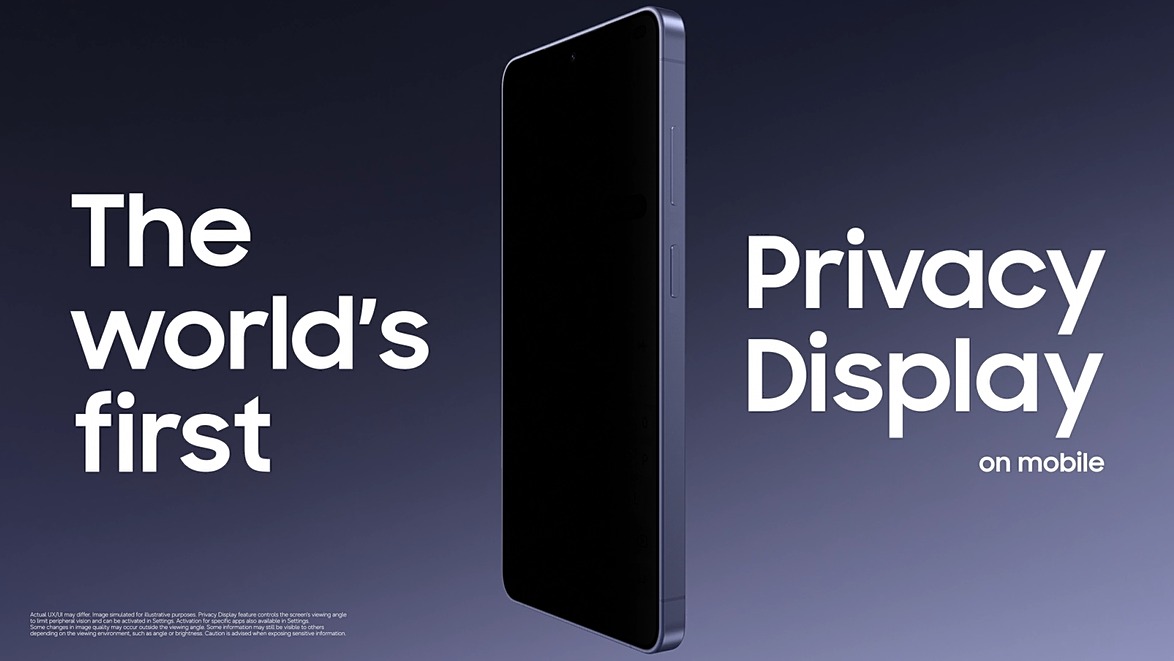
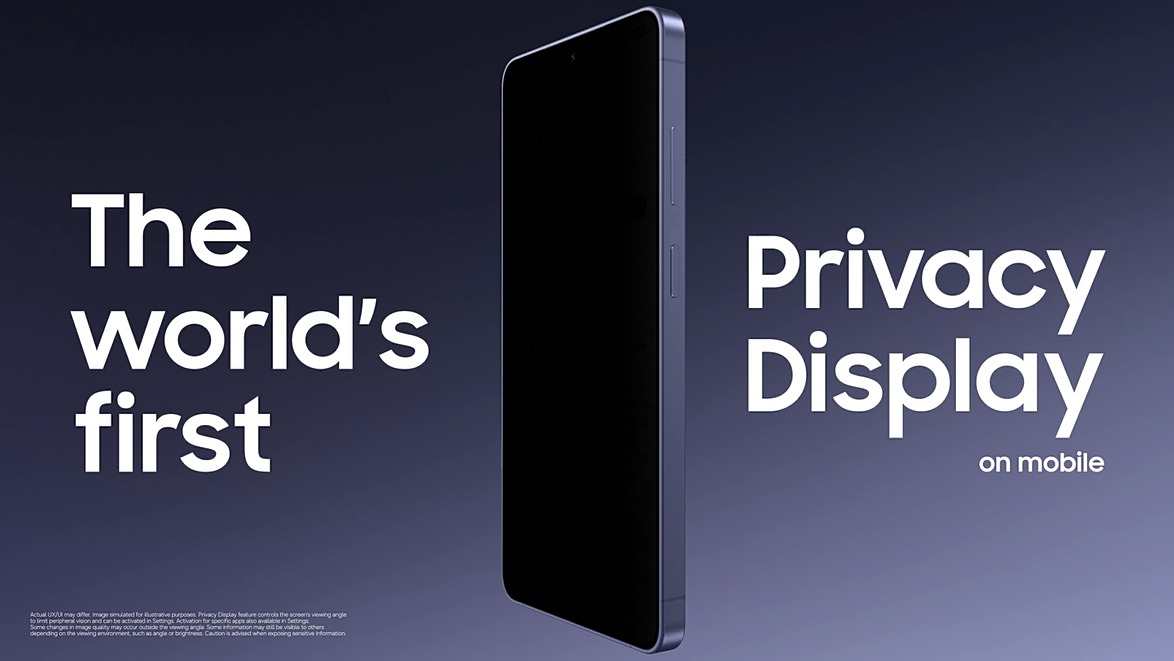
The Galaxy S26 Ultra is being hailed as the
"Invisible Cubicle" for the modern professional. Its Privacy
Display technology solves the office’s greatest vulnerability the
"over-the-shoulder" glance. Utilizing hardware-level light
directionality, the Galaxy S26 Ultra ensures that while the user sees a crisp,
high-resolution display, colleagues sitting just a desk away see only a dark
screen. This allows for total productivity in collaborative zones without the
fear of accidental data exposure. In a region where corporate confidentiality
is a pillar of business success, the Galaxy S26 Ultra provides a personal
"secure zone" that moves with the professional, from the desk to the
coffee lounge.
منذ يومين . News
Your Privacy is Our Concern: Why the Galaxy S26 Ultra is the New Essential for the Privacy-Conscious Women in Saudi Arabia
Manal Saleh
In the modern Kingdom, the Saudi woman is a leader, an entrepreneur, and the
heart of her social circle. Her smartphone is her constant companion a place
where she keeps her most cherished family memories, manages high-level
business, and stays connected with friends. However, in a culture that deeply
values the sanctity of a woman’s private world, the "openness" of a
standard mobile screen has often felt like a compromise.
The Galaxy S26 Ultra is changing the narrative by
introducing a technology that honors the traditional value of privacy.
Its Privacy Display serves as a
sophisticated digital shield, ensuring that a woman's screen remains a private
sanctuary, even in the most crowded environments. Whether she is in a bustling
Riyadh café, at a university lecture, or in a shared social lounge, the
pixel-level design ensures that her personal photos, private messages, and
sensitive documents are visible only to her.
What makes this innovation truly resonate is its Customizable
Activation. A user can set her device to automatically engage the privacy
filter whenever she opens her photo gallery or private messaging apps. This
means she can navigate her digital life with total confidence and grace,
knowing that her "private circle" remains private. It is more than
just a security feature; it is an acknowledgment of her right to discretion,
providing a premium experience that respects her boundaries without ever asking
her to hide her technology.
منذ يومين . News
The Digital ‘Solitude’: How Modern Innovation is Honoring the Timeless Saudi Value of Privacy in Public Spaces
Manal Saleh
In the heart of Riyadh’s vibrant coffee culture and the refined social
circles of Jeddah, there is a silent, deeply respected rule: the sanctity of
one’s personal space. For the Saudi citizen, the concept of privacy in one’s
family matters, personal conversations, and digital presence is a cornerstone
of daily life. However, as our lives become increasingly digital, maintaining
this boundary in public places has become a modern challenge.
The introduction of the Galaxy S26 Ultra is being
welcomed as a thoughtful fusion of cutting-edge engineering and traditional
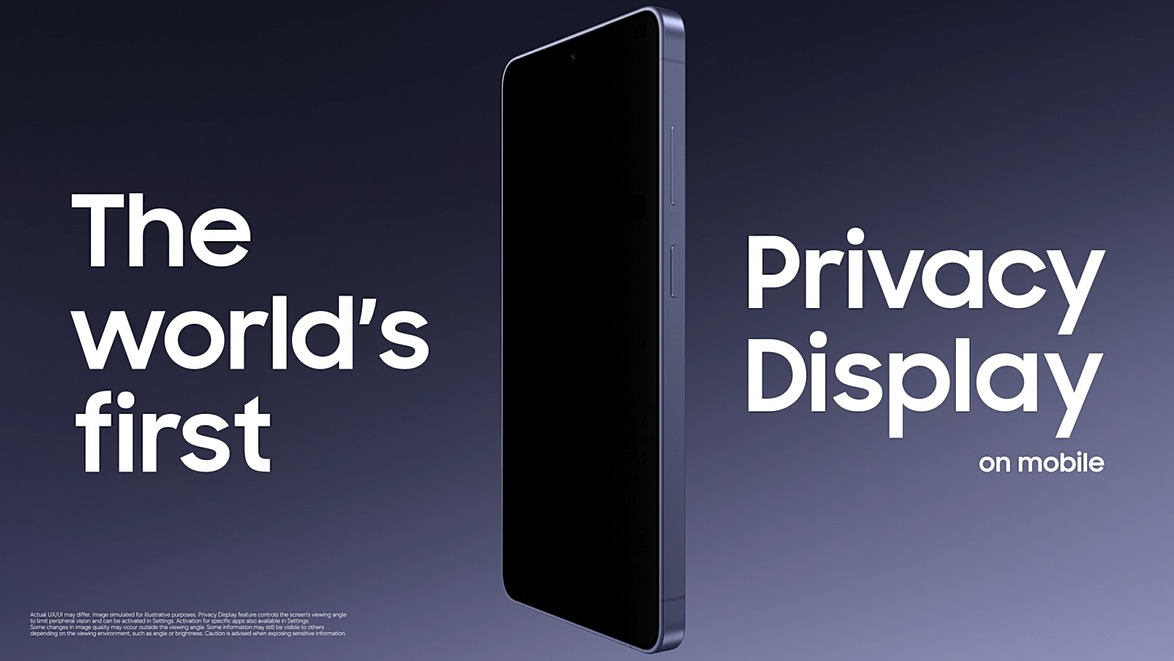
Saudi values. Its Privacy Display technology acts as a digital
"Sitra" (shield), ensuring that what is on a user’s screen is for
their eyes only. Built with a revolutionary pixel-level architecture, the
display remains vivid and crystal-clear when viewed directly, yet appears as a
darkened, obstructed screen to anyone standing to the side.
Whether a professional is reviewing family photos
in a busy mall or a student is messaging home from a crowded university hall,
the S26 ensures that their private world remains theirs alone. This isn't just
a technical feature; it is a tool of empowerment that respects the local
etiquette of discretion. By allowing for Customizable Privacy Activation,
the device can automatically shield the screen when sensitive apps are opened,
providing peace of mind without compromising the premium visual experience. In a
society that cherishes the balance between modern progress and traditional
boundaries, the S26 is setting a new benchmark for what it means to be truly
secure.
منذ يومين . News
QS WORLD UNIVERSITY RANKINGS BY SUBJECT 2026: ISTITUTO MARANGONI ENTERS THE GLOBAL TOP 50 FOR ART & DESIGN (#45)
Manal Saleh
Istituto Marangoni has achieved a significant milestone in the QS World University Rankings by Subject 2026, entering the Top 50 institutions worldwide for the first time in the Art & Design category, ranking #45.
This new result marks a notable advancement compared to previous editions of the ranking, where the institute was positioned within the global Top 100. Moving from the Top 100 bracket to 45th place reflects a consistent growth trajectory and an increasingly strong recognition of the academic value and quality of education delivered by Istituto Marangoni.
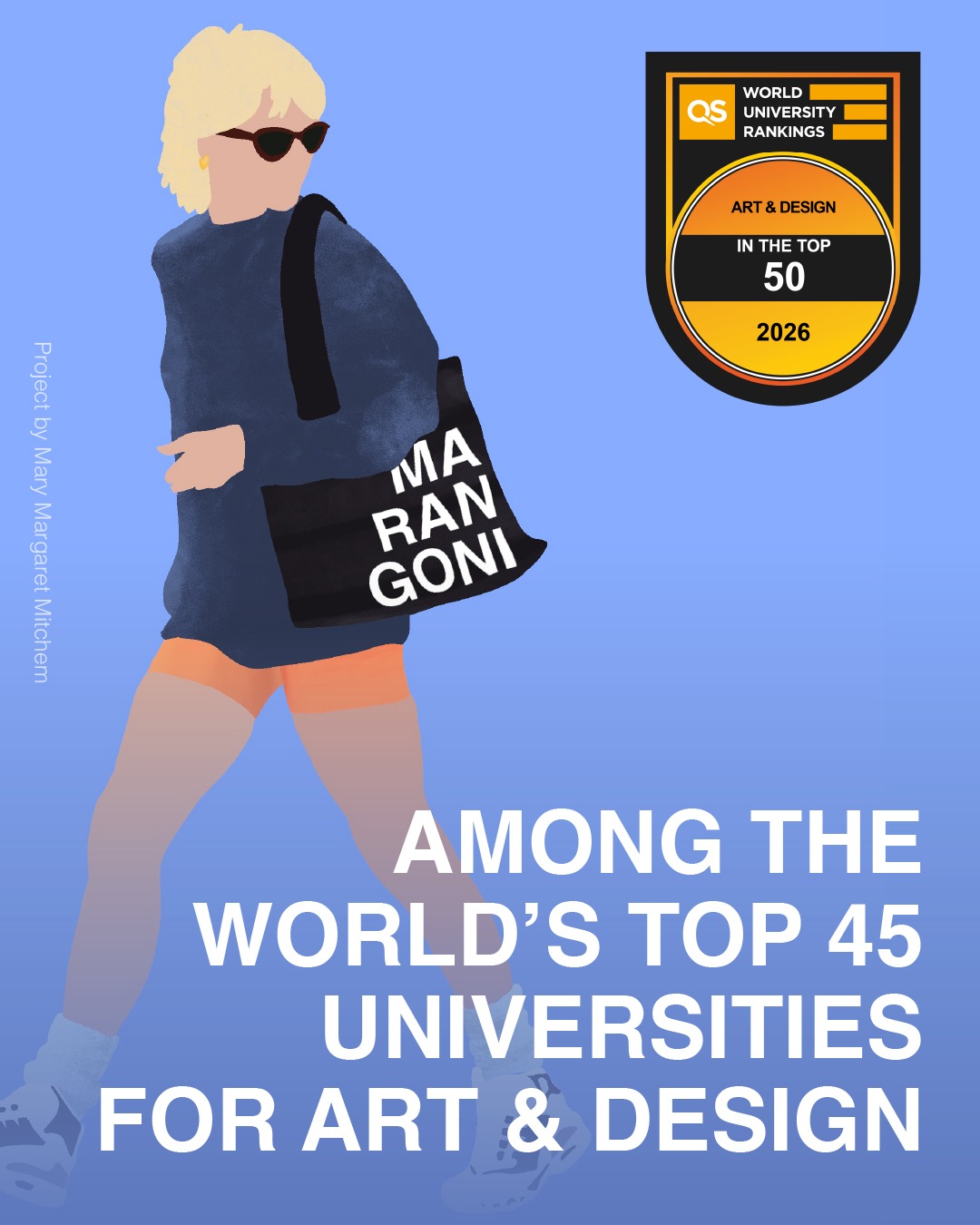
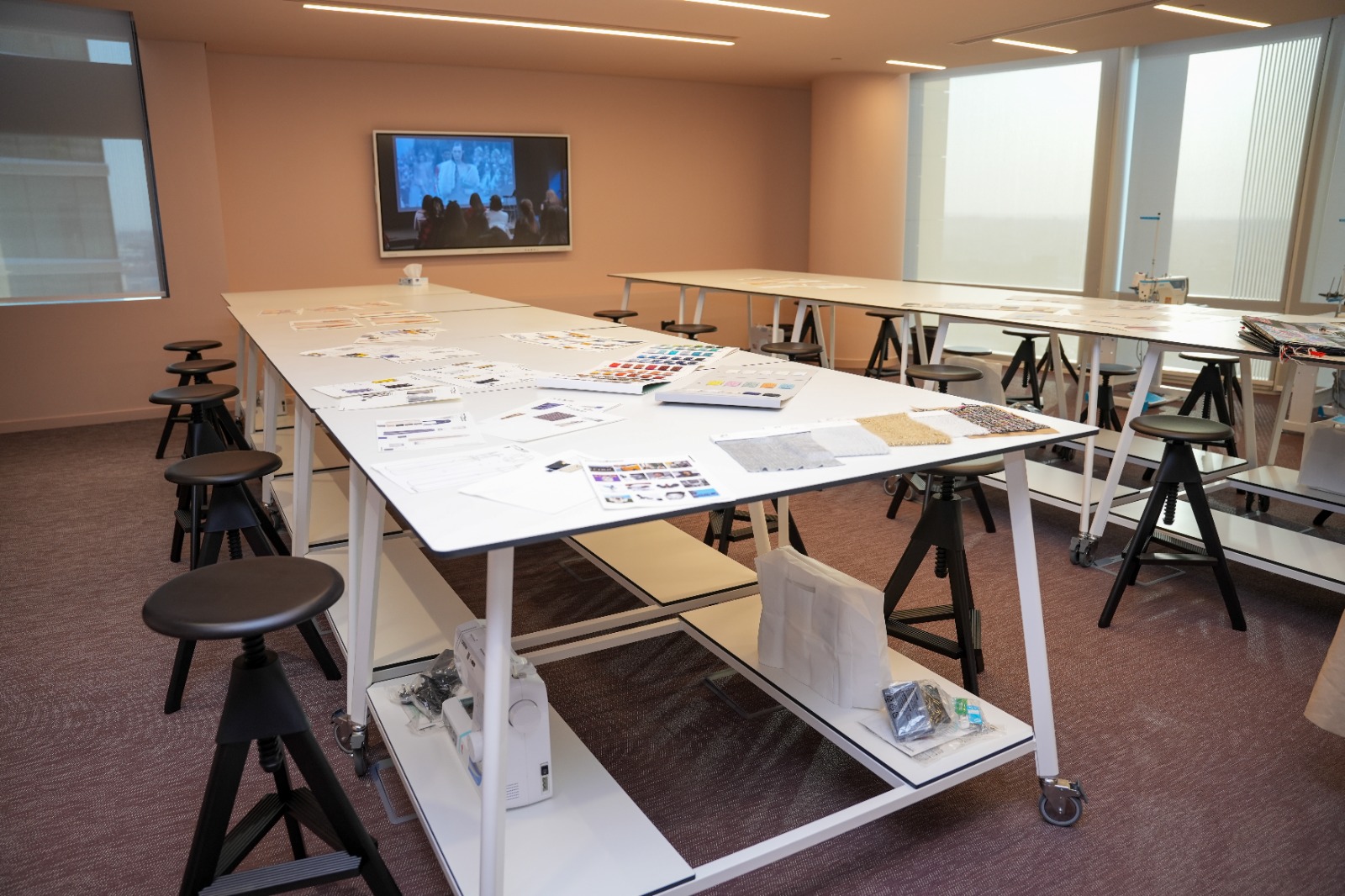
The improvement is also clearly reflected in the ranking’s key indicators. The Overall Indicator shows a significant increase, rising from 61.2 to 67.7, while Academic Reputation improves from 62.3 to 67.3, highlighting the institute’s growing recognition within the international academic community.
Particularly noteworthy is the rise in the Employer (Industry) Reputation Indicator, which increases from 51.4 to 71.4—one of the most substantial improvements recorded. This result confirms Istituto Marangoni’s strong connection with the creative industries and its ability to prepare highly qualified professionals who are ready to successfully enter the workforce.
The achievement in the QS Ranking 2026 is the result of a sustained and strategic commitment, with Istituto Marangoni investing in innovation, academic development, and the continuous enhancement of its educational offering, while maintaining close dialogue with leading stakeholders across the fashion, design, and creative sectors.
“Entering the global Top 50 of the QS Ranking represents an extremely significant milestone for us,” commented Stefania Valenti, Managing Director of Istituto Marangoni. “The substantial increase in Employer Reputation in particular demonstrates how strongly our educational model is recognised and valued by the industry, which continues to select our graduates for their preparation, creativity, and contemporary vision.”
Entry into the global Top 50 is not only a prestigious achievement, but also an international recognition of an educational model that successfully combines academic excellence, creativity, and strong integration with the professional world.
This positioning further consolidates Istituto Marangoni’s role as a global benchmark in creative education, confirming the institute’s ability to continuously evolve in response to the needs of an ever-changing industry.
منذ يومين . News
The Visual Vault: How Hardware Innovation is Securing the MENA Region’s Multi-Billion Dollar Mobile Banking Shift
Manal Saleh
The MENA region is currently a global leader in
the transition to a cashless society, with mobile banking and digital
investment platforms becoming the primary tools for wealth management. Yet, as
our financial lives move to the "open-air office" of coffee shops and
public squares, a new vulnerability has emerged: visual hacking. A password is
only secure if no one is watching you type it.
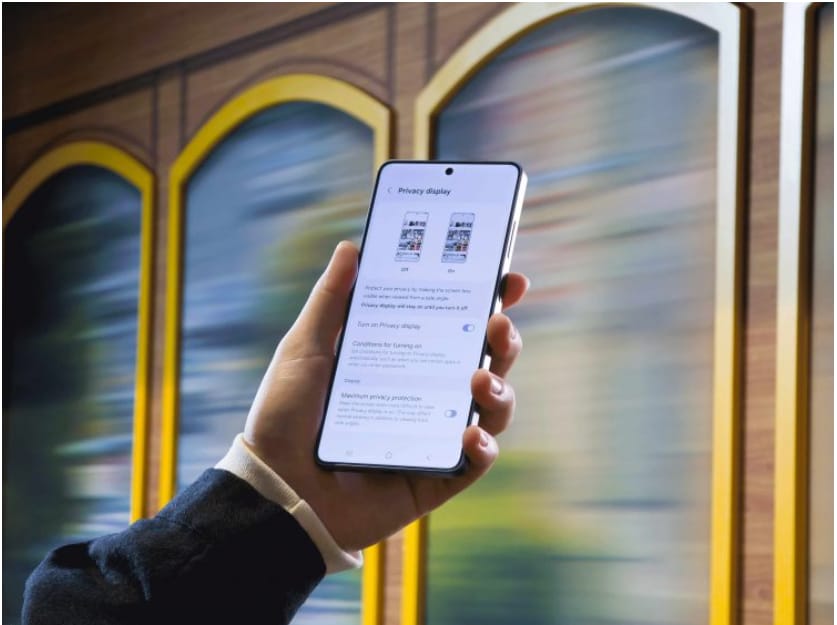
The Galaxy S26 Ultra is establishing a new
industry benchmark for financial security with its Customizable Privacy
Activation. Unlike traditional software-based security, this hardware-level
solution allows users to link the Privacy Display to specific financial
apps. The moment a banking portal or investment dashboard is opened, the
screen’s light directionality narrows, creating a "visual vault" that
only the owner can see. As regional investors move faster and more mobile than
ever before, this innovation ensures that a "public" transaction
remains a strictly private affair.
منذ يومين . News
COOL INC. BRINGS TO THE KINGDOM BERENJAK, A PERSIAN DINING CONCEPT AT VIA RIYADH, ALL THE WAY FROM LONDON
Manal Saleh
Cool
Inc. brings the globally acclaimed Persian restaurant Berenjak to Riyadh,
opening its first permanent location at VIA Riyadh following its previous
critical success during Riyadh Season.
Riyadh,
Saudi Arabia, 1st April 2026: Berenjak, the acclaimed London-born Persian
restaurant known for re-imagining traditional Persian cuisine, today opens its
doors at its first permanent venue in the Kingdom, located at VIA Riyadh. This
new venture from London follows the success of the Berenjak pop-up in the same
location in February 2025 - a critically acclaimed part of Riyadh Season - and
marks a significant new chapter in the brand’s international journey.
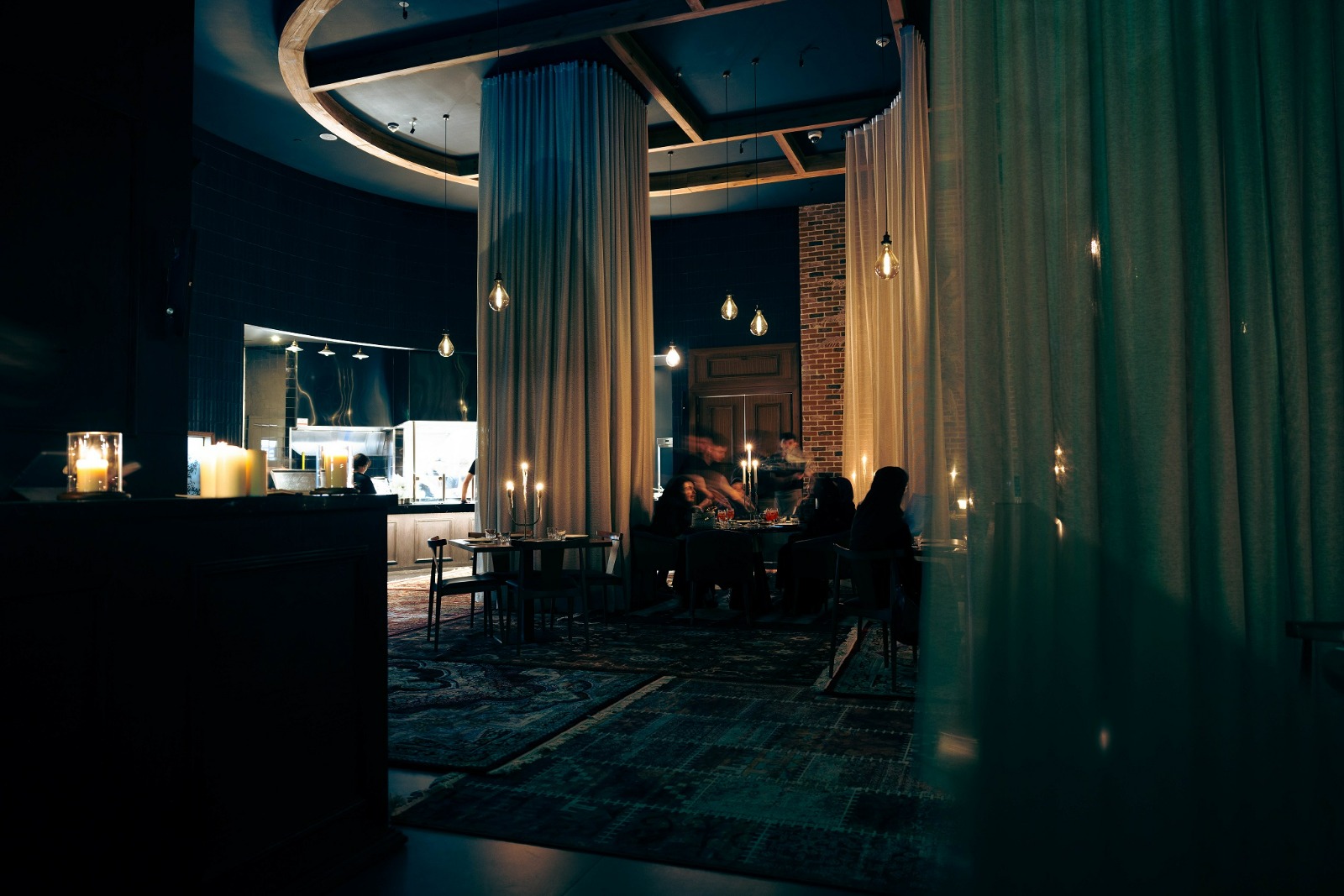
Berenjak is the vision of Kian Samyani, which is a modern expression of the kebabi houses, refined for today whilst being rooted in time-honoured family recipes and memories, coming all the way from London. Operating in collaboration with Cool Inc., the Riyadh venue compliments existing outlets in the United Kingdom, United States and the Middle East, bringing a fresh and distinctive dining philosophy to Riyadh, enriching the diversity of Saudi Arabia’s food scene and reaffirming Riyadh’s expanding position as a premier gastronomic destination.
At
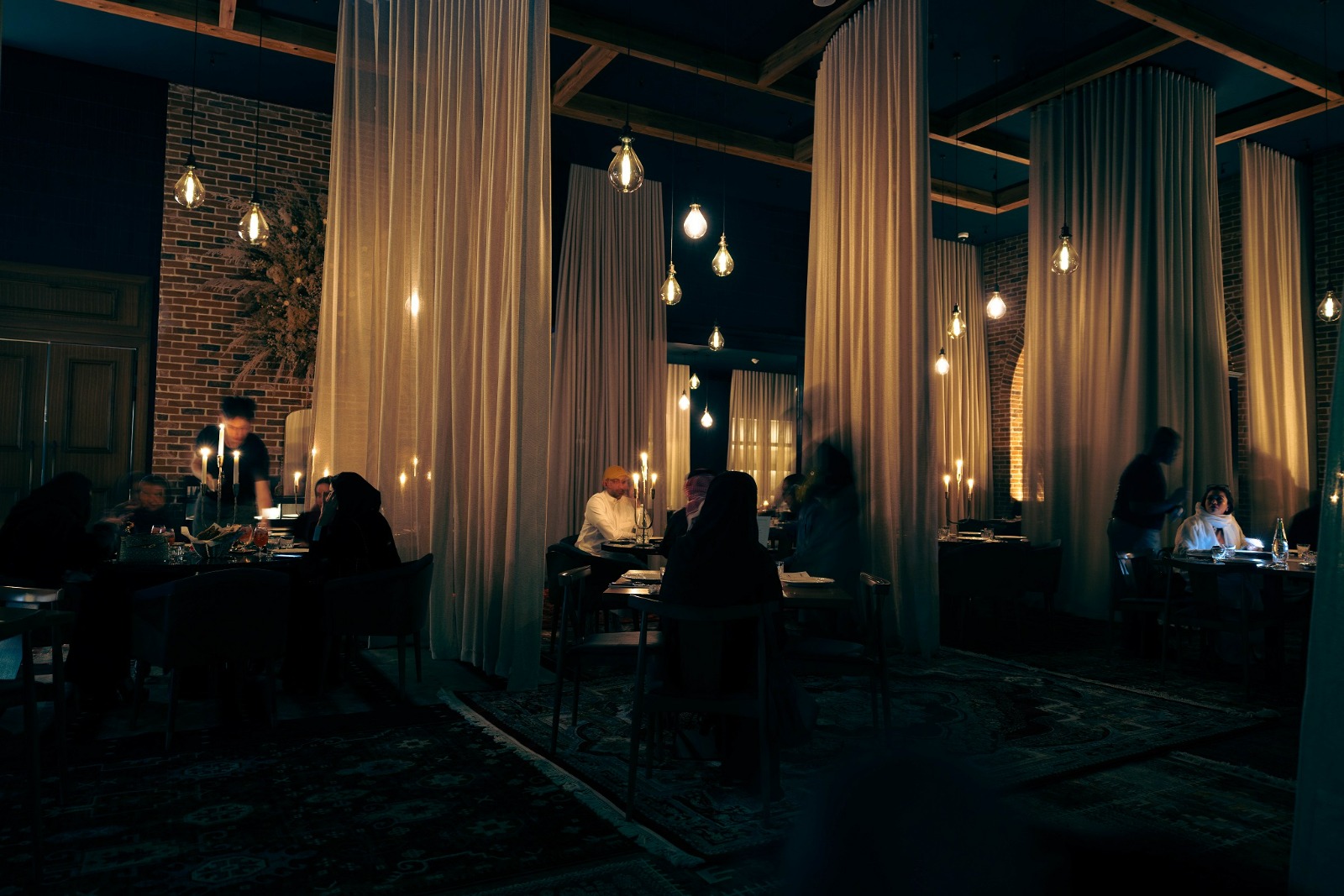
Berenjak Riyadh, guests are invited into a space where open-fire cooking and
live kitchen take centre stage, bringing energy, warmth and authenticity to
every meal. Following the core principles that define all JKS Restaurants, the
team showcases an unwavering focus on delivering an exceptional dining
experience, where every moment is driven by passion. Generosity, a key pillar
of Persian cuisine is woven throughout the experience from complimentary dishes
to a genuine care for guests, making it a fundamental part of what Berenjak
offers with a warm cozy communal set up at Via Riyadh.
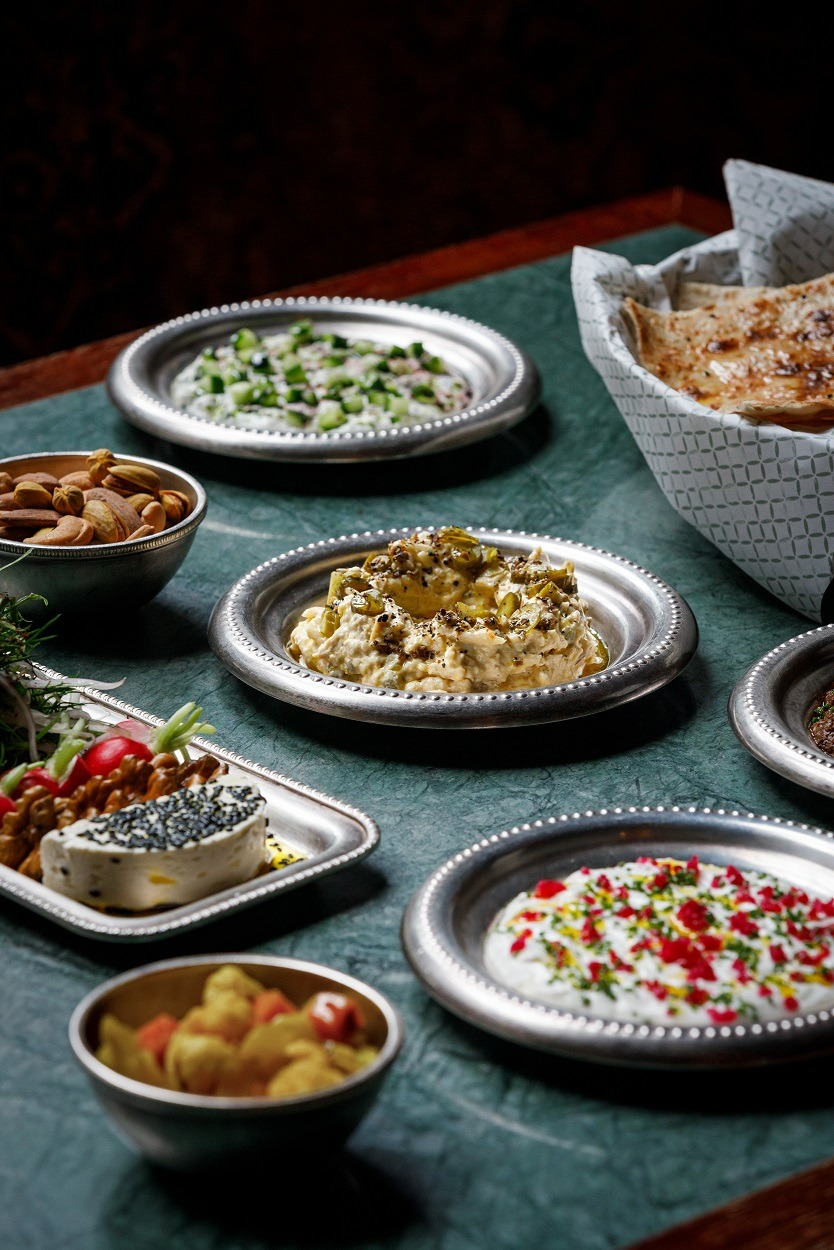
The
Berenjak menu celebrates Persian dishes, featuring a range of Mezzeh-style
sharing plates, charcoal-grilled kebabs, khoreshy (stews), rice and salads.
Dishes are prepared using traditional Persian tools such as the mangal
barbecue, and vertical rotisserie, all crafted with the finest seasonal
ingredients and Persian influences from London of saffron, pomegranate and
herbs.
As
the brand reflects, “our story began with a grain of rice, and it has brought
us here,” a journey that continues in Riyadh, where tradition and innovation
come together to shape Berenjak’s next chapter by Cool Inc. VIA Riyadh.
Reservations are now open
-ENDS
منذ يومين . News

In partnership with UNICEF, British Council Launches Safeguarding Toolkit to Support Partner Schools in Saudi Arabia and the Gulf in Addressing Digital Risks and Low Disclosure
Manal Saleh
Riyadh, Kingdom of Saudi Arabia – 1st
April 2026: The British Council has
launched a new global Safeguarding Toolkit, developed in partnership with
UNICEF, to help Partner Schools, in the Middle East and North
Africa region strengthen early identification, proportionate action and
consistent safeguarding practice.
Across the Middle East and North Africa,
safeguarding risks are often hidden rather than absent. Digital exposure has
increased the risk of online grooming, while social stigma can prevent children
from speaking out. UNICEF and the ITU report
that one in three internet users worldwide is a child, increasing exposure to
manipulation online. The World Health Organization estimates that one in seven
adolescents lives with a mental health condition, often intersecting with
safeguarding concerns in school settings. Yet the persistent gap is not
awareness; it is implementation. Many schools have safeguarding policies, but
everyday decision-making can vary.
Fakhar
Jaffery, Exams Director, Kingdom of Saudi Arabia,
Kuwait and Bahrain at the British Council, said:Like
their counterparts, some schools in Saudi Arabia are navigating a rapidly
changing landscape covering digital risks*- ranging from wrongful use of AI to
online bullying and harassment. At the same time, stigma can make disclosure
difficult for many students. This Toolkit provides school leaders, teachers and
the wider community with the structure needed to recognise concerns early and
respond consistently, ensuring safer learning environments for students.’
Almudena Olaguibel, Child Protection Officer at
UNICEF Spain, said: ‘The Safeguarding Toolkit reflects a
shared understanding between the British Council and UNICEF that effective
protection depends on systems, not improvisation. As safeguarding risks become
more complex and less visible, preparation, clarity and shared responsibility
across school communities are essential.’
Designed as a practical, role-based implementation
resource for everyday school use, the Toolkit supports a whole-school approach
that reduces reliance on individual judgement. It clarifies responsibilities,
strengthens recording, follow-up, establishes shared thresholds and escalation
routes.
As safeguarding concerns increasingly move between
online and offline environments, the Toolkit helps schools respond more
consistently to risks including online grooming, harassment, coercion,
impersonation and AI-generated sexual imagery, enabling earlier intervention
before concerns escalate.
Rolling out across 2,500+ British
Council Partner Schools globally,
reaching nearly 1.7 million students, the Toolkit is designed to be adaptable
across local legal contexts while maintaining consistency across an
international school network.
The Safeguarding Toolkit is available to the media
upon request.
منذ 3 أيام . News
.jpeg)
When a Challenger Brand Decides to Save Lives Instead of Selling Cars How Najm Suhail turns real-world risk into real brand relevance
Manal Saleh
In Saudi Arabia, the relationship with the desert is different. It is part of everyday life, part of how people explore, gather, and move. But this reality demands systems that can keep up. Because connectivity is not always there, and when it disappears, so does the sense of control.
This is where Najm Suhail begins.
Developed in collaboration between GWM TANK and Social Clinic, the platform is rooted in a clear and urgent problem. Every month, rescue teams respond to more than a hundred desert incidents, many involving young drivers and off-roaders who rely entirely on their phones. The issue is not being adventurous. It is dependency.
A generation raised on instant access has never needed to think beyond it. The moment signal drops, decision-making collapses. The instinct is to keep moving, often turning a manageable situation into a dangerous one.
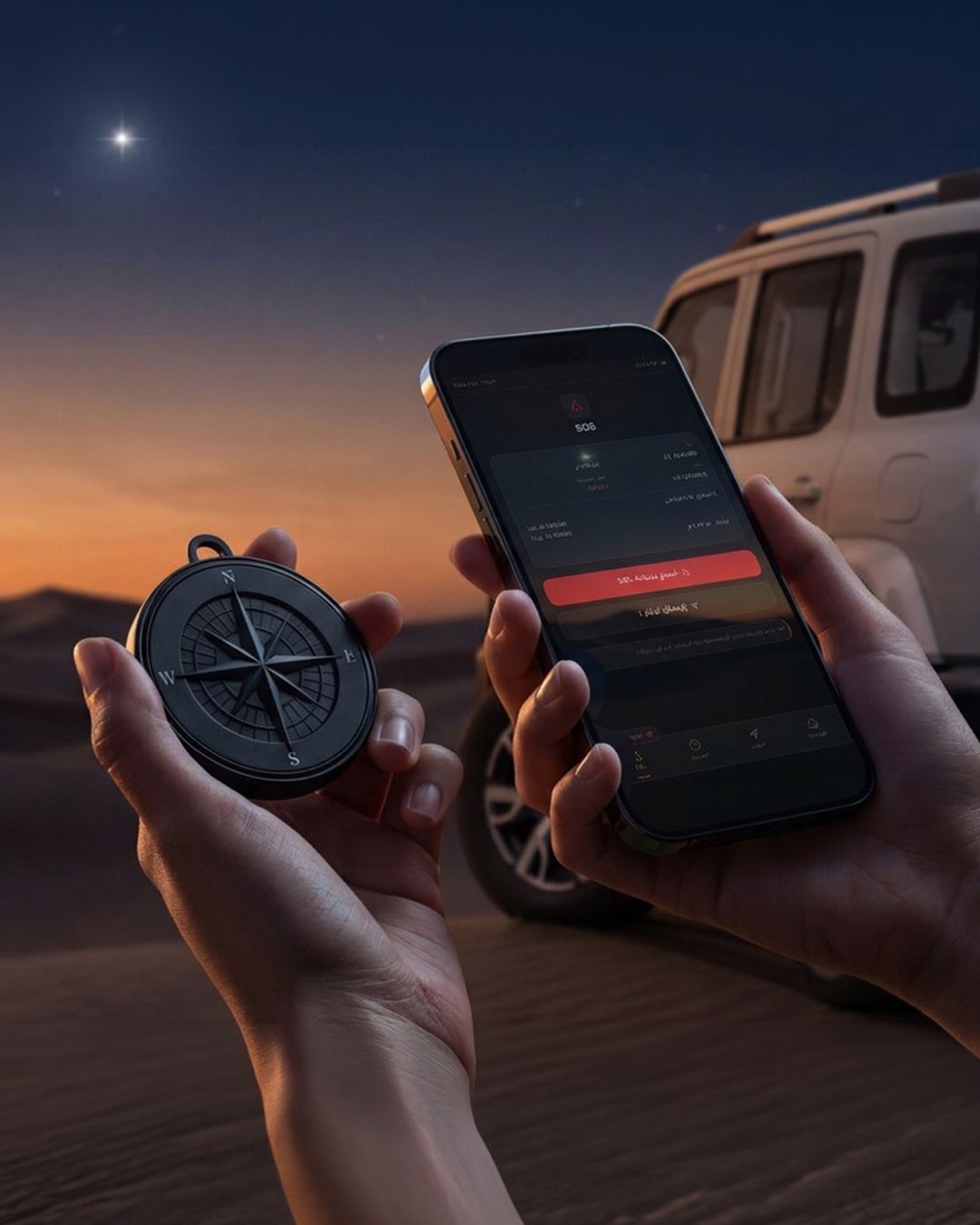
Najm Suhail is not a message about safety. It is a system designed for when safety becomes critical. A device and platform that prepares drivers before entering the desert, guides them when they lose direction, and supports them when situations escalate.
What makes it effective is not the technology. It is the removal of complexity.
When disorientation happens, the platform delivers one clear action. Retrace. Move. Or stay. This clarity is the idea. In moments of stress, people do not need more information. They need certainty. Najm Suhail turns panic into direction and hesitation into action.
More importantly, it moves beyond communication. This is not a campaign that lives in content. It lives in behavior. The device becomes part of the journey, present at the moment risk begins and relied on when things go wrong. The tone is grounded, local, and respectful.
For GWM TANK, the impact is strategic. Entering a market dominated by heritage brands, it had no authority to speak about the desert. Najm Suhail created that authority through action. Instead of claiming performance, the brand demonstrates responsibility. Instead of competing on legacy, it competes on relevance.
Najm Suhail is more than a device or campaign. It is a statement of intent. A reminder that the future of advertising will be defined by what brands build.
Further details on Najm Suhail are available at https://najmsuhaylgwm.com
منذ 3 أيام . News
HUAWEI Mate 80 Pro: The Phone That Takes Pro Photos For You
Manal Saleh
Alriyadh
, 30 March 2026 The Mate series once represented the pinnacle of smartphone
innovation. Now, the series returns to the global stage after a brief hiatus.
Building on the Mate series’ strong tradition of pioneering technology, the
Mate 80 Pro sets new standards in imaging authenticity, durability,
performance, and intelligence. At a time when innovation among standard slab
smartphones appears to have stalled, the Mate 80 Pro emerges as a serious
contender for the best flagship smartphone of the year.
Capturing Reality with True
Fidelity
The HUAWEI Mate 80 Pro
revolutionises mobile photography with its True-to-Color Camera System.
Compared to the previous generation, this system achieves a 43% improvement in
colour reproduction to guarantee authentic, professional-grade results in any
scenario. The system is powered by a premium 50 MP Ultra Lighting Main Camera
featuring a large 1/1.28-inch sensor. This flagship main sensor captures
significantly more light and detail than those of previous generations,
providing superior low-light capabilities and lifelike textures.
The true strength of the Mate 80
Pro lies in its True-to-Color Camera. This camera system boasts 96% better
light intake to offer more accurate, true-to-life detail in low-light
conditions. Additionally, DCG HDR technology enhances dynamic range by 300% when
compared to the previous generation, preserving details and contrast even in
strong backlight scenarios.
The Mate 80 Pro's 48 MP Ultra
Lighting Telephoto Macro Lens supports 4x optical zoom and a minimum focus
distance of 5 cm, unlocking effortless close-up and long-range shooting to
support stunning clarity and enchanting bokeh. For capturing wide canvases,
there is the 40 MP ultra-wide-angle camera.
Built to Endure Adventures
The HUAWEI Mate 80 Pro features
the Super Durable Architecture, providing comprehensive protection without
compromising elegance. The 2nd Generation Kunlun Glass offers 20x greater drop
resistance than conventional glass, safeguarding the display from accidental
falls. In addition, the ultra-durable vegan fibre back panel boosts impact
resistance by 5x, all while maintaining a silky scratch- and wear-resistant
texture.
The device also has an IP68 rating
for dust and water resistance (up to 6 m depth) and an IP69 rating for high
temperatures and high-pressure jets, offering a multi-layer shield against
spills, rain, and dust. This makes the Mate 80 Pro an ideal companion for
splash days, workouts, or rainy commutes.
Powerful Performance
The HUAWEI Mate 80 Pro supports
all-day usage thanks to a huge 5750 mAh battery, which can be rapidly recharged
through 100 W wired SuperCharge or 80 W wireless SuperCharge. The device also
comes equipped with the industry-first SuperCool Dual Phase Change Heat
Dissipation System, capable of boosting thermal conductivity by 16% and
reducing temperature rise by 33%. This allows the phone to remain 1°C cooler
during gaming and 2.5°C cooler during HD streaming compared with the previous
generation—ensuring smooth, lag-free performance under heavy loads.
Dual space ring design
The HUAWEI Mate 80 Pro introduces
a Dual Space Ring Design with a symmetrical aesthetic. The Mate 80 Pro is
available in three colours inspired by nature: Gold, Green, and Black. Paired
with a silky, ultra-durable vegan fibre back panel, the phone offers a premium
feel.
A Smarter Experience
The HUAWEI Mate 80 Pro integrates
innovative AI features for exceptional creativity. With AI Remove, users can
effortlessly erase unwanted elements like passers-by or clutter, after which
backgrounds are seamlessly reconstructed. AI Best Expression is capable of
analysing burst shots and then merging everyone's best faces into a single
image, creating timeless group photos. In addition, AI Composition provides
real-time framing guidance for professional-level shots, while Two-Way AI Noise
Cancellation filters ambient noise for crystal-clear calls in noisy
environments.
The HUAWEI Mate 80 Pro will be
available for pre-order in the Kingdom of Saudi Arabia starting April 1st at
3699 SAR with valuable gifts offered through the Huawei online store and
several authorized retailers.
-END-
About HUAWEI Consumer Business Group (CBG)
Huawei Consumer Business Group (CBG) is one of Huawei’s three business
groups, providing a range of products including smartphones, tablets, laptops,
wearables, audio, monitors, smart screens, IOT and others.
In Jan 2023, Brand Finance reveals Global 500 2022 list of the world’s
most valuable brands, Huawei ranks No. 31, Huawei’s brand value is US$44.3
billion.
In 2023, our total R&D spending reached more than USD 23 billion,
representing 23.4% of Huawei’s total revenue. The total R&D investment over
the last decade now exceeds USD 154 billion.
For more information, please visit: consumer.huawei.com/sa
For regular updates on HUAWEI Consumer BG, follow us on:
Facebook: facebook.com/HuaweiMobileKSA
Twitter: twitter.com/HuaweiMobileKSA
YouTube: youtube.com/Huaweimobileksa
Instagram: instagram.com/HuaweiMobileKSA
منذ 3 أيام . News
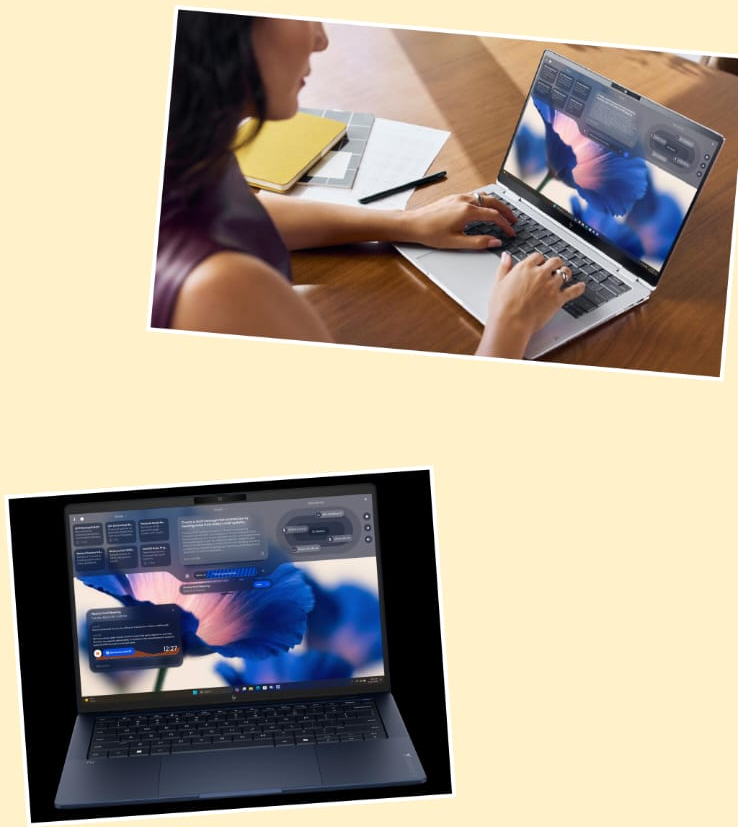
HP Demonstrates Its Vision for a Connected, Intelligent Ecosystem Across Devices and Spaces with the Introduction of HP IQ
Manal Saleh
·
HP announces HP IQ,1 a workplace intelligence
layer that can coordinate experiences across HP devices through local,
on-device AI capabilities and proximity-based connectivity, helping reduce digital friction and improve productivity.
“HP’s vision for the future of work is
a connected, intelligent ecosystem that helps work flow across devices, spaces,
and the moments in between,” said Tuan Tran, President of HP’s Technology &
Innovation Organization. “HP IQ is how we connect those experiences, reducing digital
friction for employees while fitting into the environments IT already manages,
so organizations can bring these experiences to life with confidence.”
On-Device
Intelligence, Right Where Work Happens
According to the HP 2025 Work
Relationship Index, access to the right tools and
technology is a key enabler of the employee experience . HP IQ brings that
promise to life with powerful, on-device intelligence–transforming the HP
devices that employees use every day into context-aware partners. Debuting on
the next generation of HP EliteBook X G2 PCs, HP IQ’s initial on-device
AI experiences are planned to include:
·
Ask IQ: Responds
to text and voice inputs, surfacing intelligent, contextual answers and
guidance.
·
Analyze: Helps users interact with
personal files (including PDF, TXT, DOC, PPT) to get summaries and actionable
insights.
·
Notes & Knowledge: Keeps a running record of interactions so employees can
pick up where they left off and organizes notes so they can be searched and
shared more easily.
·
Meeting Agent:
Quickly captures ideas or records notes during a meeting without forcing app
switching, helping participants stay focused.
Friction-Free
Collaboration Across the HP Ecosystem
Adaptive, Intuitive AI that Keeps
Employees in their Flow
Secure, Local-First by Design, with
Hybrid Architecture to Support When Needed
HP IQ is based
on a local, 20B-parameter model, with responsive intelligence while keeping
data secure and accessible even in low-connectivity environments. It runs
experiences on-device and only uses the cloud when permitted, helping
organizations maintain control over sensitive information.
Built for the Workplace – and for IT
HP
IQ is built for modern workplace environments where intelligent experiences
need to operate reliably across devices and spaces. Configuration, policy, updates, security, and
compliance can be governed through the HP Workforce Experience Platform (WXP), HP’s control plane for workforce management.
"As
HP IQ introduces a new intelligence layer across devices and workspaces, WXP
operates above it as a trusted control plane for IT, delivering unified
visibility, built-in security, seamless manageability, and proactive
remediation across the device fleet,” said Manoj Leelanivas, President of HP
Solutions. “Together, on-device AI and WXP enable HP to deliver intuitive,
high-performance user environments while giving organizations the governance
and actionable insights needed to thrive in the future of work."
Availability
HP
IQ has been introduced at HP Imagine 2026, with early access starting on select
HP AI PCs in Spring 2026. With broader availability rolling out to more
products across the HP portfolio starting in Half Two of 2026.
More information on today’s news at HP Imagine can be found here.
منذ 3 أيام . News
Novo Nordisk A/S: Wegovy®️ HD (semaglutide 7.2 mg) approved in the US, providing 20.7% mean weight loss
Manal Saleh
Wegovy®️ HD demonstrated a mean weight loss of 20.7%1, and around one-third of patients achieved 25% or greater weight loss in the STEP UP trial
First US FDA approval of a GLP-1 treatment under the Commissioner’s National Priority Voucher pilot programme, for products addressing critical US national health priorities
Wegovy®️ HD complements Wegovy®️ 2.4 mg, which is already approved in the US for weight management and cardiovascular risk reduction
Novo Nordisk expects to launch Wegovy®️ HD in the US in April 2026
Novo Nordisk today announced that the US Food and Drug Administration (FDA) has approved Wegovy®️ HD (once-weekly injectable semaglutide 7.2 mg) to reduce excess body weight and maintain weight reduction long-term. The FDA awarded a Commissioner’s National Priority Voucher for Wegovy®️ HD, accelerating its review and underscoring its potential to address critical patient needs and national health priorities in the US.
The accelerated approval is based on results from the STEP UP trial programme. In the STEP UP trial, semaglutide 7.2 mg injected once weekly demonstrated 20.7%1 mean weight loss in participants with obesity, and approximately one in three people experienced 25% or greater weight loss. In the STEP UP type 2 diabetes (T2D) trial, in participants with obesity and type 2 diabetes, semaglutide 7.2 mg demonstrated a mean weight loss of 14.1%1. In both trials, the well-known safety and tolerability profile of semaglutide was reaffirmed with semaglutide 7.2 mg, which was comparable to previous trials with semaglutide for weight management.
“Since its launch in 2021, Wegovy®️ has transformed the lives of many people living with obesity and helped them achieve meaningful weight loss and important cardiometabolic benefits, including an unprecedented reduction in cardiovascular risk,” said Mike Doustdar, president and CEO of Novo Nordisk. “Earlier this year, we launched the Wegovy®️ pill, and with the accelerated approval of Wegovy®️ HD, we are introducing a new offering for our injectable semaglutide that provides even greater weight loss of approximately 21%. At Novo Nordisk, our goal is to provide innovative therapies that support healthier lives for people living with obesity, and we look forward to launching Wegovy®️ HD to help even more people reach their weight and health goals.”
Novo Nordisk expects to launch Wegovy®️ HD in a single-dose pen in the US in April 2026.
Wegovy®️ 7.2 mg is already approved for adults with obesity in the EU and the UK. Novo Nordisk expects regulatory decisions in the EU and the UK on semaglutide 7.2 mg in a single-dose pen in the second half of 2026.
منذ 3 أيام . News
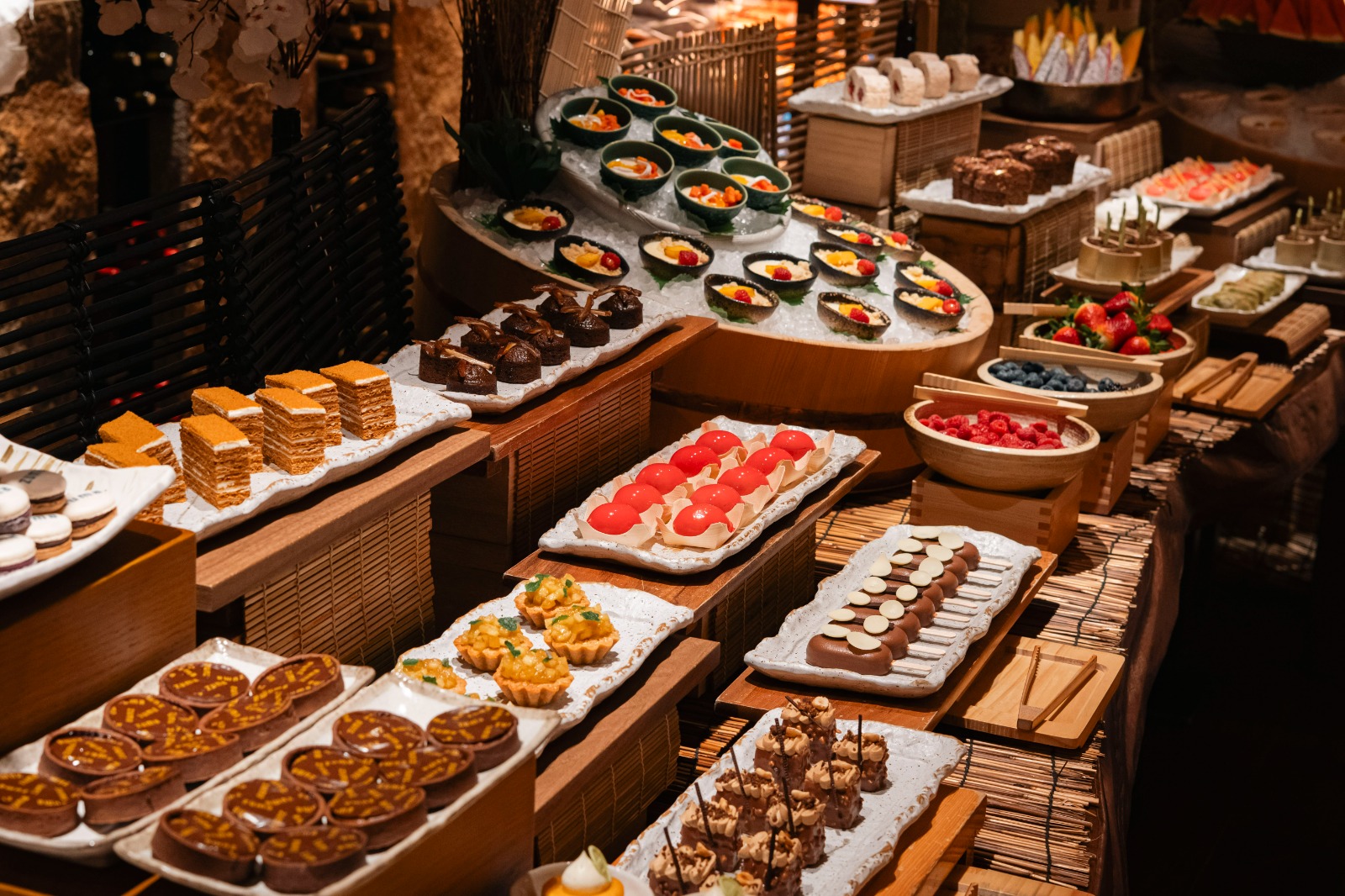
Zuma Brings Its Renowned Weekend Brunch to Riyadh with Signature Japanese Flavours
Manal Saleh


Riyadh, Saudi Arabia, March 15, 2026 – This
spring, Zuma invites guests to experience its renowned weekend brunch in
Riyadh, designed for sharing and inspired by the restaurant’s signature
contemporary Japanese flavours.
Crafted by Zuma’s Head Chef, the Shūmatsu
Menu is served as a set menu for the entire table. The experience begins with
an unlimited selection of signature starters, including shrimp tempura with
lime and chilli dip, chilli lemon chicken karaage, prawn maki with tenkasu,
avocado and wasabi mentaiko sauce, and more. Vegetarian options such as
spicy fried tofu and Japanese potato salad are also available, while guests
may request a chef’s selection of sashimi and nigiri.
For the main course, each guest selects one
dish from a range of options, including marinated lamb chops with pickled
baby onion and myoga, salmon teriyaki with pickled cucumber, spicy beef
tenderloin with sesame, red chilli and sweet soy, barley miso-marinated baby
chicken roasted on cedar wood, and miso-marinated black cod wrapped in hoba
leaf. Vegetarian options include yakisoba with seasonal vegetables and
spicy fried tofu with avocado and Japanese herbs.
Each main is served with a selection of
sides, including steamed rice with sesame and seaweed, Japanese mushroom
rice, sweetcorn with shiso ponzu butter, and roasted whole potato with chilli
ponzu butter and lime.
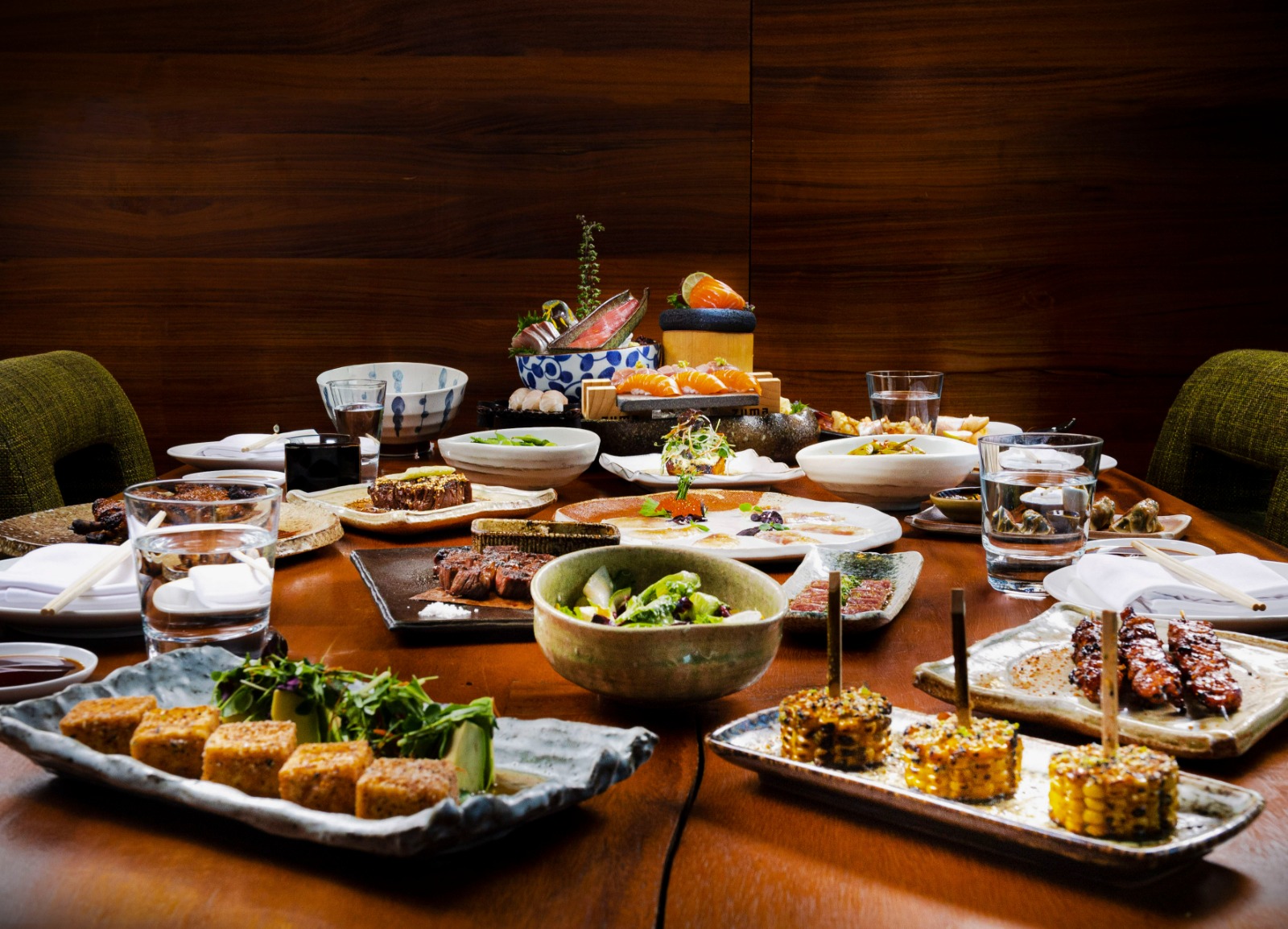
The brunch concludes with a choice of
unlimited desserts in Zuma’s dessert room, showcasing seasonal creations
alongside Zuma favourites. Guests can also enjoy two signature non-alcoholic
cocktails.
With its vibrant atmosphere, signature flavours, and
carefully curated menu, Zuma’s weekend brunch in Riyadh offers a lively and
celebratory dining experience, perfect for family gatherings, group
celebrations, or a stylish weekend outing with friends.
During Eid Holiday: Saturday and Sunday
Regular Schedule: Every Saturday
Brunch
Kids Menu (6-12PM): SAR135 per person
Under 6 years old: Complimentary
Reservations: www.zumarestaurant.com
Contact: 9200 14597
منذ 3 أيام . News
.jpeg)
Water. Reverse osmosis innovation
Manal Saleh
ACCIONA TESTS NEXT-GENERATION REVERSE OSMOSIS SYSTEM TO IMPROVE DESALINATION EFFICIENCY
INNOVATION AND CIRCULARITY
The system also explores new ways to increase circularity in desalination plants by generating renewable energy and producing cleaning chemicals directly from brine streams.
DUBAI, MARCH XX, 2026. ACCIONA has successfully tested a next-generation reverse osmosis configuration designed to improve the energy efficiency and sustainability of seawater desalination, as part of the European innovation project LIFE INDESAL.
The pilot system completed nearly two years of demonstration at the Leading Experimental Accelerator in Desalination (LEAD®️), located at the San Pedro del Pinatar desalination plant in Spain. The trials confirmed stable and efficient performance while producing high-quality permeate water (total dissolved solids (TDS) below 200 mg/L).
Results from the project show that the new configuration can reduce the energy consumption of reverse osmosis processes compared with conventional systems. The improvement is achieved mainly through the implementation of low-pressure multistage reverse osmosis, in which shorter pressure vessels enable a better flux distribution. Moreover, thanks to this configuration more tailored membrane-cleaning strategies can be applied to tackle fouling issues, which help optimize plant performance while maintaining high water quality.
Beyond energy savings, the project also explored new ways to enhance circularity in desalination plants by making use of brine streams generated during the process. During the demonstration phase, the system was able to generate renewable energy from brine (0.1 kWh per cubic metre of brine) by reverse electrodialysis and produce chemical reagents on site derived from the same stream applying electrodialysis with bipolar membranes.
This approach could allow desalination facilities in the future to generate the cleaning chemicals required for membrane maintenance directly within the plant, potentially increasing operational self-sufficiency while reducing the need for external chemical supply.
While the solution is currently at pilot stage, the configuration developed within LIFE INDESAL could potentially be scaled for use in future seawater desalination plants or integrated into existing facilities through partial retrofits.
With water scarcity becoming an increasingly pressing global challenge, improving the efficiency and sustainability of desalination technologies is a key priority in many water-stressed regions around the world.
The LIFE INDESAL project, coordinated by ACCIONA, has a total budget of €3.1 million and brings together several European partners, including the Department of Chemical and Biomolecular Engineering at the University of Cantabria, APRIA Systems, REDstack and REVOLVE.
The initiative highlights how innovation and international collaboration can help develop more energy-efficient and circular solutions for the future of desalination.
منذ 4 أيام . News
MOZN Makes Largest Jump of Any Provider in Chartis FCC50, Rising 30 Spots to #16 Worldwide
Manal Saleh
MOZN is the only organization from the Middle East to be recognized among the world’s financial crime technology providers and the highest‑ranked year‑on‑year mover
Riyadh, Saudi Arabia, London, UK – March 30, 2026 – MOZN, a leading enterprise AI company, announced its recognition in the 2026 Chartis Financial Crime and Compliance 50 (FCC50) ranking, placing 16th globally among the world’s top financial crime technology providers. This milestone sees the company advancing 30 places from its rank last year, reinforcing its position as the only Middle Eastern‑based organization recognized in the report.
Published annually by Chartis Research, the FCC50 ranking and report evaluates leading vendors across key criteria including technology, innovation, strategy, and market impact. MOZN’s strong performance in this report reflects its continued investment in advanced AI capabilities and its commitment to delivering modern, high‑impact financial crime solutions for financial institutions worldwide.
At the center of this achievement is MOZN’s leading FOCAL platform, an end-to-end AI-native financial crime prevention platform built on a unified FRAML (Fraud + AML) architecture. FOCAL enables institutions to manage AML, fraud detection, sanction screening, and regulatory compliance within a single environment, while supporting faster deployment and improved operational efficiency.
In addition to its overall ranking, MOZN received multiple category recognitions, including the "Time to Value” award under the Financial Inclusion category and the “Portfolio Monitoring" award under the Functionality category. These accolades highlight the platform’s ability to deliver measurable impact, automate complex compliance processes, reduce manual workloads, and accelerate return on investment through its agentic AI capabilities.
“This recognition underscores the trajectory MOZN is on as we redefine how financial crime and fraud are addressed globally,” said Dr. Mohammed Alhussein, Founder and CEO of MOZN. “As regulatory complexity and financial crime risk continue to intensify, institutions need technology that delivers clarity, speed, and scale. Our continued rise in the FCC50 ranking reflects not only our strong growth, but the trust our customers place in us to protect their institutions, and the exceptional work of our teams who continue to build with purpose and precision.”
‘MOZN’s rapid rise in the FCC50 ranking reflects several recent investments in its FinCrime portfolio, which align with a solid strategic technology roadmap and material AI and GenAI initiatives,’ said Sean O’Malley, Research Director at Chartis. ‘These investments continue to generate strong results in most areas of MOZN’s core technology, notably its scalability and flexibility, analytics, model transparency and model development.’
MOZN’s placement as the only company in the Middle East in the FCC50 2026 ranking reinforces its role as a regional trailblazer with global ambitions. As financial institutions increasingly seek integrated, AI-driven compliance solutions, MOZN continues to expand its footprint globally, supporting organizations in navigating an increasingly complex financial crime landscape.
END
منذ 4 أيام . News
GENESIS MAGMA RACING READY FOR FIA WEC DEBUT AFTER BUILDING TEAM FROM SCRATCH
Manal Saleh
Genesis Magma Racing is set to begin its first FIA World
Endurance Championship campaign just 499 days after the team was publicly
announced
-
Genesis will run the pair of GMR-001 Hypercars in the
series as a fully manufacturer team, rather than in partnership with an
existing external outfit
-
Built from scratch, the team is
based at Le Castellet in France and combines experience and approaches from
across the range of motorsports
LIWA LE
CASTELLET, France, March 29, 2026 — When Genesis Magma
Racing was announced in Dubai in December 2024, it marked the first public
steps in a huge task. With only 499 days between the announcement and the first
race of the 2026 FIA World Endurance Championship (WEC), it was not just a car
and an engine that needed to be built, but a whole team.
“No
Alternative” to Entering WEC as a Full Manufacturer Team
The scale of the challenge was made even greater by the decision that Genesis would enter the WEC paddock as an in-house manufacturer team, rather than partner with an existing outfit. “Given the long-term objectives, there was absolutely no alternative,” explained Genesis Magma Racing Team Principal Cyril Abiteboul. “It was mandatory for us to do everything ourselves, instead of giving responsibility to a partner team, which would have been the easier thing to do.”

He continued:
“This is the start of a long-term project for Genesis Magma Racing, and we
wanted to start with our own soul, skill and people. Genesis also wants to
understand motorsport as a manufacturer and bring that high-performance culture
to the company. The only way to do this is to remove the firewall between the
race team and the brand and take full control ourselves.”
What has been
built is a team of 75 people representing 16 different nationalities. They are
split between Genesis Magma Racing’s race base at Le Castellet in France,
Hyundai Motorsport’s Headquarters in Offenbach, Germany, and the company’s
nearby Technical Centre in Fechenheim, where the Genesis G8MR 3.2l Turbo V8 at
the heart of the GMR-001 Hypercar is built. For the eight rounds of the 2026
FIA World Endurance Championship, starting with next month’s 6 Hours of Imola,
they will join together in the paddock for Genesis Magma Racing’s debut season.
Team Assembled
from Scratch Without Compromise
Within the
team are specialists with a range of backgrounds representing not only
endurance racing but across the motorsport spectrum, including 15 team members
from Hyundai Motorsport, who moved to Genesis Magma Racing as part of the
Trajectory Program. The assembled team brings a range of experience and
approaches to an organization started from a blank sheet of paper.
Genesis Magma
Racing Team Manager Anouck Abadie said: “Starting from a white page does have
advantages. We could do what we thought was best for the team’s structure,
without having to follow anything that had gone before. We were only focused on
what we thought would work best. For the people too, we had everyone starting
new, so we could put the right people in the right roles without any
compromises or politics.”
The team
structure was tested alongside the GMR-001 Hypercar through the second half of
2025. This culminated in the December test at Barcelona where 80% of the
on-event team was present, validating Genesis Magma Racing’s operational plans
for the 2026 season.
Setting up an
entirely new facility, Genesis Magma Racing was also able to avoid compromise
on the location for the race base. Specifically choosing a location close to
both chassis partner ORECA and Circuit Paul Ricard, where the GMR-001 Hypercar
completed its first tests, the team is run from a 2,900-square-meter workshop
where the race cars will be prepared between races.
Genesis Magma
Racing Operations Director Sebastien Metz said: “At the Genesis Magma Racing
race base we have all the key departments and requirements of the team in one
place. We have a dedicated area for the mechanics’ pitstop practice, and a
space for remote engineering operations during each race weekend. It was
important for us to have as much capability as we could within the team and
workshop, and we have a perfect opportunity to do that.”
Team Clothing
Design Features “Distinctly Korean” Hallmarks
Genesis Magma
Racing team members will be instantly recognizable in the paddock, sporting
team clothing featuring the signature combination of black and Magma Orange.
Supplied by the team’s Official Team Apparel Partner, Kappa, the kit features
the now-familiar geometric Genesis Magma Racing logo, with the traditional
Korean hangul writing that inspires it included as a subtle tone-on-tone
repeating design as the team remains true to its “distinctly Korean”
philosophy.
The
combination of colors holds strong meaning – the black representing the humble
attitude and the brighter shade symbolic of the self-confidence and passion of
Korean culture – as the team prepares to be the first manufacturer in the
championship from the country.
###
About
Genesis Middle East & Africa
As a Korean design-focused
brand, Genesis has introduced fascinating models that embody ‘athletic
elegance’, including The G70, The G80 midsize sedan and The G90 flagship sedan,
as well as The GV70, The GV80 & The GV80 Coupe. With Genesis distributors
based throughout the Middle East and Africa region, Genesis is present with
standalone showrooms in the region, with plans to expand further into the MEA
region in the near future. For more information on Genesis and its new
definition of luxury, please visit www.genesis.com
منذ 5 أيام . News